Friday, May 30, 2008

Creating a Podcast Show using VOX Collections


The steps involved in creating a PodCast Show using VOX and the iTunes Store are:

  1. Record your Podcast show episode and convert to either mp3 or mp4 (aac, m4a).
  2. Upload
    your audio file (Podcast episode) to your Vox blog - either as a post
    attachment or upload directly into your Vox 'Audio' folder in your Vox
    Library.
  3. Create a 'Collection' in Vox and name it - e.g. 'My Podcast Show'.
  4. Add
    your Podcast Episode to your Podcast 'Collection' in Vox - note
    providing a description and tag words will make it easier for listeners
    to search for your Podcast show and categorize it!
  5. Find your Vox Podcast Collection RSS feed and copy it.
    1. It will be in the form: http://thomcochrane.vox.com/podcast-show/atom.xml
    2. i.e. http://yourvoxname.vox.com/yourvoxcollectionname/atom.xml
  6. Open
    iTunes, choose 'Advanced', 'Subscribe to Podcast' and paste your
    Podcast RSS feed - iTunes will then download and play your Podcast show
    episodes!
  7. Share your iTunes Podcast Playlist (and your RSS feed) with the rest of the class!
  8. To get your Podcast show on iTunes:
    1. Submit your Shows RSS feed to iTunes
    2. Launch iTunes.
    3. In the left navigation column, under iTunes Store, click on the Podcasts link to go to the Podcasts page.
    4. In the left column of the Podcasts page, in the Learn More box at the bottom, click on the Submit a Podcast link.
    5. Follow the instructions on the Submit a Podcast page.
      1. Note that you will need a valid iTunes account, and you will need to be logged into iTunes.
    6. You will receive a confirmation email from Apple.
PODCAST FAQ (Apple Computer)


View slideshow of screenshots.

Monday, May 19, 2008

Mobile Trial 'Reflections'

Here's a few examples of students & tutors first time VODCast 'reflections' on the iPod Touch and Nokia N80 mobile trials:


    iPod Touch Trial - Diploma Contemporary Music (Waitakere Campus)


    Nokia N80 Trial - Bachelor of Product Design (Mt Albert Campus)


  1. 12/05/08 from http://djoblin.vox.com/


  2. 12/05/08 from http://steve125.vox.com/

Thursday, May 15, 2008

JoikuSpot - Now this is cool!

Here's an S60 app that allows you to share your 3G Internet connection from your Nokia cellphone via WiFi with any WiFi enabled device! - why is this cool? - it means you don't have to stuff around setting up bluetooth connections from your laptop, and non-bluetooth devices with WiFi can connect to the Internet anywhere you have cellphone coverage (e.g. iPod Touch, PSP, Eee PC...). It also means that you are not limited by sharing via a slow bluetooth connection (1-2Mbps) but can share the full HSDPA speed (up to 3.6Mbps). It supports NSeries and ESeries Nokia phones with WiFi.


"JoikuSpot is FREE and SECURE Mobile HotSpot solution that turns Nokia phones to a WLAN HotSpot.

JoikuSpot software is installed directly to the phone. When switched on, laptops and iPods can establish instant, secure and fast WLAN connection via smartphone's JoikuSpot HotSpot using phone's own 3G internet connection.

Multiple devices can connect to JoikuSpot in parallel and seamlessly share the same 3G internet connection.

You can use JoikuSpot to access internet e.g. on the train, car, sailing boat, summer cottage, hotel, while walking, or when at remote office...where ever you are!"


Another useful S60 application from Joiku is HandyWi

Bascially a better WiFi hotspot finder than the builtin connection app for S60.


"HandyWi is freeware software, which helps your to discover and connect to private and public WiFi hotspots on your mobile phone. Application is designed to work with any 802.11a/b/c/g hotspots"

Flickr

This is a test post from flickr, a fancy photo sharing thing.

Monday, May 05, 2008

UPnP on Nokia NSeries

UPnP (Universal Plug n Play) technology is nicely integrated into the Nokia NSeries smartphones. This provides a way to wirelessly stream media (Video, Images, and Audio) from your smartphone to UPnP enabled devices or software applications.


On the N80, UPnP provides a way of viewing video & images from the N80 directly on a Mac or PC laptop (When connected to a video projector this enables large group viewing/interaction). On the newer NSeries phones (N95, N82) a dedicated video/audio out connector is provided - but it's still cool to stream media wirelessly!


UPnP setup:


  1. On the N80/N95 Scan for WiFi access point & connect

  2. On the N80/N95 find the 'Home Network' application

  3. HomeNetwork1.jpg
  4. Configure the Home Network appication for your WiFi connection and choose which media to share wirelessly

  5. HomeNetwork2.jpg

    HomeNetwork3.jpg

    HomeNetwork4.jpg
  6. Start a UPnP capable software application on your Mac or PC: on PC (Simple Center http://experience.nokia.se/VideoTV/howto/howto_2.aspx ) & Mac (Mediacloud) http://users.pandora.be/bruno.keymolen/hmediamac.html

  7. Now wirelessly browse & display your mobile media!

  8. UPnP_Mediacloud_on_Mac_N95.png

    UPnP2_Mediacloud_on_Mac_N95.png


I've yet to get UPnP working on the P1i or the Nokia E90 :-(

Mobile Vodcasting

I've been experimenting with the possibilities of mobile Vodcasting (Video casting) recently.

The N-Series Nokia's make this a painless exercise (the multimedia capabilities of the NSeries phones is exceptional - it's just their lack of text entry options and poor battery life that let then down - you really need to carry a Bluetooth keyboard with you all the time for any length of text input):


  1. Place your smartphone in a deskstand. Turn on the camera on your smartphone, or start the 'camera' application.

  2. Choose 'use secondary camera (the 'front low resolution camera)

  3. Choose video mode and 'shoot' your vodcast. This will be saved as a 176x144 .3gp (H263 mpeg4) compressed video, suitable for mms or emailing. The built-in microphone does a reasonable job of recording the audio accompanying the video.

  4. Edit your video recording

  5. Upload your edited video to your online video host or Blog - using either email or Shozu.


Non NSeries cameraphones:

The Sonyericsson P1i does not have a built-in video editor, nor does the front camera record stills or video - it's solely for video conferencing :-( .

However the main camera records video at 320x240, 15fps. To edit and upload your video clips from the P1i:


  1. Create a free Jumpcut or Photobucket account.

  2. Find your email upload address, and email your video clips to Jumpcut or Photobucket from your P1i

  3. Logon to your Jumpcut/Photobucket account on a computer and edit your uploaded clips into a 'movie'.

  4. Embed the final 'movie' into your Vox blog etc...


Obviously Jumpcut and Photobucket can also be used with the Nokia NSeries phones as well - their online video editors are more fully featured than the built-in video editor on the phones, and Jumpcut or Photobucket also provide extra features such as embedding a video player in most blog hosts, and voting polls etc...

Below is an example of a Vodcast created by recording clips on an N95 secondary camera & a P1i, then uploaded via email to a Jumpcut account and edited into a short 'movie' using the Jumpcut editor - pretty cool technology! (Pity about the video ;-) )


jumpcut movie:Jumpcut Mobile Test


http://www.jumpcut.com/view?id=1FD4F6F419D711DDAB75000423CEF5B0


Monday, April 21, 2008

N95 Video editing

Here's a quick example of using a Nokia N95 to capture and edit a video (including inserting still images, audio and titles) then upload it (Emailed to my account at xxxxxxxxx@mms.youtube.com) to YouTube all from the N95 - no 'computer' involved!


Oops - in my excitement I forgot I added a section of copyrighted audio as an additional soundtrack! It's interesting to see how YouTube's automatic copyright identification picked that up!
http://www.google.com/support/youtube/bin/answer.py?hl=en&answer=83766&hl=en_US

"UMG has claimed some or all audio content in your video n95 video example (MyN95Video.mp4). This claim was made as part of the YouTube Content Identification program.

Your video is still live because UMG has authorized the use of this content on YouTube. As long as UMG has a claim on your video, they will receive public statistics about your video, such as number of views. Viewers may also see advertising on your video's page."


Don't worry - I won't be making any money from this video :-D


I'll upload an edited version with my own original music instead shortly!


Version2 - non copyright below now! In the N95 media gallery I chose my edited video, then chose 'change sound' and replaced the first audio track with one from my old band (When I used to be a rock star!). VOILA!


New generation of laptops is literally child's play

Here's an enthusiastic look at the ASUS Eee PC - a miniature affordable laptop that (I think) has huge potential in education

New generation of laptops is literally child's play: "Grateful"


(Via New Zealand Herald - Technology & Science.)

Friday, April 18, 2008

You have a PXT from 6421753814

Video entirely captured edited & processed for mms on N95


You've received either a PXT or video PXT. To view your PXT simply open the attached files, each item will be attached separately. For example, if you have received a PXT containing a picture and a text message you will have two files attached.


If your message is a PXT in most cases any media player should be able to open it. If you've received a video PXT (this will have the ending ".3gp"), or if you have received a sound or image file ending in .amr, .wbmp, .iMelody, or .gif you will need to install a special media player to play it.


In the case of .3gp, .amr or .gif files you can download QuickTime free of charge, which is compatible with both PC and Mac computers.


     Visit PXT World to find out all about PXT and create awesome picture messages!

Interactive Concept Map

I've added an 'Interactive Concept Map' to give a visual representation of the workflow and interaction of the smartphone and mobile web2 services that we are aiming at in the mobile projects. Let me know if this helps with conceptualizing what we are doing!

http://ltxserver.unitec.ac.nz/~thom/mobileweb2concept2.htm

Tuesday, April 15, 2008

Mobile Web2 Concept Map

I've put together a visual 'concept map' of the mobile web2 trials and a table briefly outlining the web2 tools and their pedagogical alignment with a constructivist learning environment.

Any feedback welcome!

Right-click image and 'save as' to download higher resolution version (Low res embedded in blog post for space saving).

mobileweb2concept2.png


Pedagogical Design


The core activity of the project is the
creation and maintenance of a reflective Blog as part of a course group
project. Additionally a variety of mobile friendly web 2 tools are used in
conjunction with the smartphone. The trials investigate how the smartphone can
be used to enhance almost any aspect of the course. The project uses the
smartphone and Personal Computers for the following activities (see the
following table illustrating the alignment of these activities with the
projects underlying social constructivist pedagogy):


Activity


Overview


Pedagogical outcomes


A reflective Blog


A blog post (including media) can
be uploaded directly to VOX using the Vox client on Nokia smartphones, or
Shozu (http://www.shozu.com), or emailed to VOX xxxxxx@moblog.vox.com


Developing critical and
reflective thinking


An eportfolio


VOX (http://www.vox.com
) includes media sharing (video, audio, documents, images, links…) and
linking (YouTube, Flickr etc…) as well as social networking.


Collaborative sharing of media
and peer critique, also forms the basis for a career portfolio.


Email


GMail (http://gmail.com
) provides a free email account that can be used on almost any Internet
capable device. A GMail account also opens free access to all other Google
web services. The Google Java application optimises GMail for phones.


Communication and collaboration


RSS


RSS enables subscribing and
tracking/sharing of online activity. It provides a link between all your web
2 media sites.


Google reader (http://reader.google.com ) is a great web based RSS reader,
while Newsgator (http://www.newsgator.com
) also provides RSS clients for synchronisation via PC, Mac or mobile.


Collaboration


Shared Calendars


Google Calendars (http://calendar.google.com ) can be
shared between groups of people via invitation. Google Calendars use an open
format that provides interoperability between many calendar systems –
e.g. iCal on Mac OSX


Time scheduling and collaboration
of activities


Image Blogging


Dedicated image sharing
repositories such as Flickr and picasaweb offer more interactive features
than Vox’s image repository, and are linkable to Vox and other Blogging
systems. Direct mobile upload to Flickr can be achieved via either the Vox
client, or email. Picasaweb mobile is supported via Shozu destination
uploads.


Event, data and resource
capturing and collaboration. Creativity.


Video Blogging


YouTube (http://www.youtube.com ) is currently the
most popular video sharing site. The mobile version supports viewing of
videos online in the mobiles web browser, or via a downloadable Java client
for specific phones. Uploading mobile videos to YouTube is achieved via email
attachments.


Event, data and resource
capturing and collaboration. Creativity.


Shozu


Shozu is a service for linking
all your online mobile Blog and Media sites together via either the Shozu
client application, or an email sent to go@m.shozu.com


Shozu provides links between all
the pedagogies described.


Podcasting


Uploading an audio file to Vox
creates a podcast episode that others can subscribe to via an automatically
created RSS feed.


Interviews, critiques,
reflections, shared collaboration.


Instant Messaging and Skype


Fring (http://www.fring.com) is a free Instant
Messaging and Skype client for most mobile phones. It allows messaging
between the most popular IM systems. It works best over a WiFi connection, or
good 3G connection.


Communication and collaboration


Shared Bookmarks


Delicious (http://del.icio.us ) is a social bookmarking
site – allowing the creation and sharing of Internet bookmark libraries
and searching via tags (descriptive keywords). Mobilicious (http://mobilicio.us ) a mobile optimised
version.


Collaboration


LMS


Moodle is a mobile friendly
Learning Management System, hosted on a production level Unitec server.
Course notes, discussion forums, and various activities can be hosted on
Moodle.


Scaffolding and support


Mobile Google


A gateway into the Google Mobile
services (http://mobile.google.com )
via the phones web browser. iGoogle (http://www.google.com/ig/i
) is a customisable mobile Google Homepage.


Links to tools that support all
of the mentioned pedagogies.


Mobile Codes


Mobile Codes (Datamatrix codes in
this case) provide sharing of URLs, text and messages via scanning using the
smartphones built-in camera. Codes can be created and downloaded from http://mobilecodes.nokia.com and
scanned using either a compatible scanning application on the mobile phone.


Scaffolding, support,
collaboration.


Web Browsing


The Built-in Web Browser is very
good, but in some cases Opera Mini may work better, and Opera Mini has
several tools built-in (RSS feeds, synchronisation with Opera on a PC etc…)


Research skills


Document Reading & Editing


Google Docs (http://docs.google.com ) is Microsoft Word,
Excell and Powerpoint compatible. Documents can be uploaded and shared and
edited by a group. They are viewable online in a web browser without MS
Office. Docs can be created on mobile devices by emailing the document to a
private Google Docs address. To edit uploaded documents you need a full PC
web browser, or a full version of ‘QuickOffice’ on your smartphone – a
mobile version of MS Office (~ $60).


Documentation, reflection,
critique, description, and collaborative document publishing etc…


Table 1.
Table of trial activities aligned to social constructivist pedagogical
outcomes.

Wednesday, April 02, 2008

DipLandscape Design Mobile trial 2008

Today saw the start of the third mobile trial with Diploma Landscape Design students
  • 2006 - Palm TX WiFi PDAs, SplashBlog

  • 2007 - Nokia N80 smartphones, Wordpress & Vox

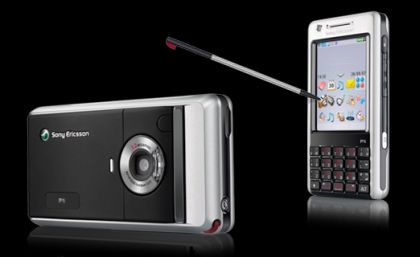
  • 2008 - Sonyericsson P1i smartphones plus Bluetooth keyboards, Vox


sony-ericsson-p1i-cell-phone.jpg


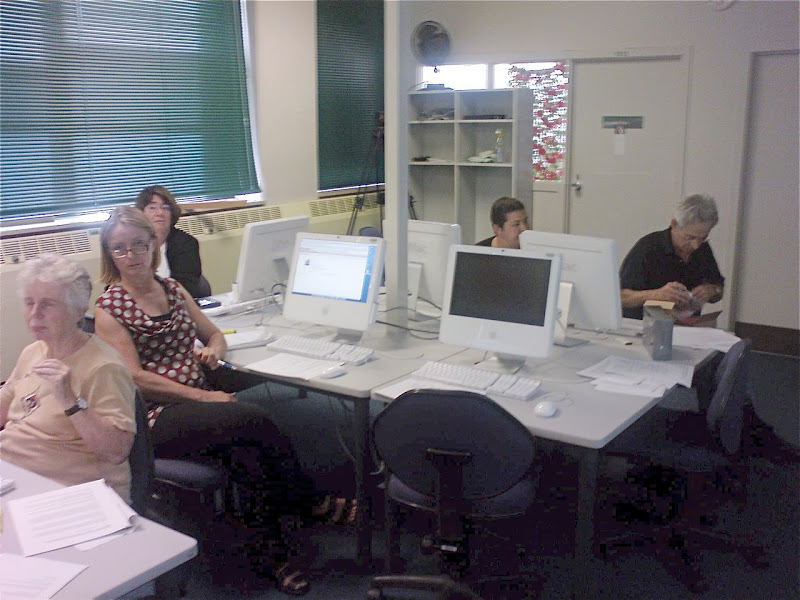
In this initial session we covered:

  • Introduction of the project

  • Created GMail accounts

  • Created Moodle accounts and Profiles (including photos)

  • Created Vox eportfolio accounts

  • Handed out the smartphones


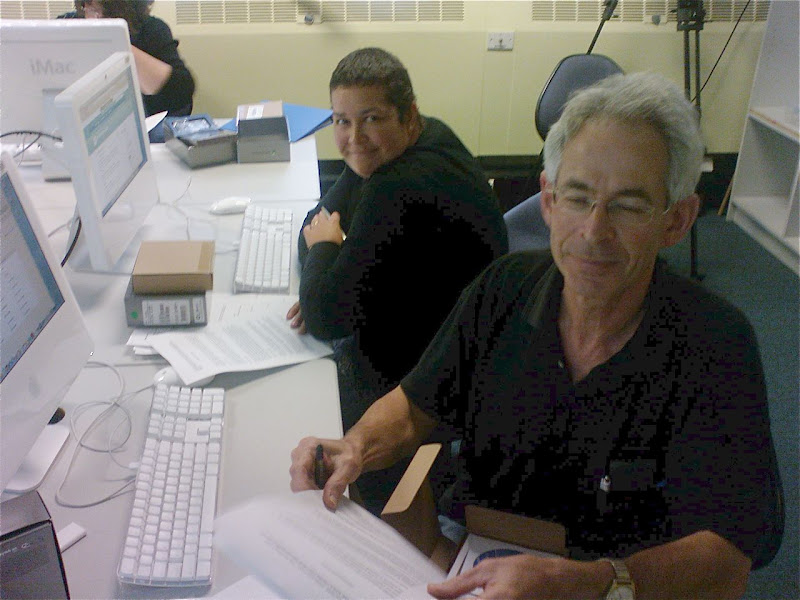
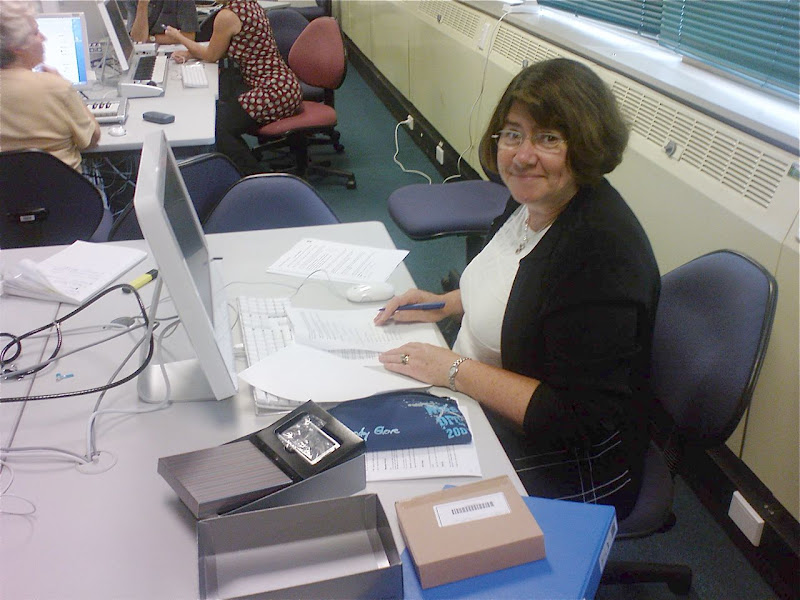
As you can see, they are a 'more mature' bunch of students than previous years! The Web2 'Net Generation' is an attitude - not an age differentiator :-)

DipLSDIntro1.jpg


DipLSDIntro2.jpg

DipLSDIntro3.jpg

Monday, March 31, 2008

Overview of Mobile2

A nice slideshare on Mobile2:

Thursday, March 27, 2008

Sunrise @ Blind Billies - Middlmarcn


The one redeeming feature of Blind billies! & the showers!

Posted by ShoZu


Tuesday, March 25, 2008

Cycling the otago railtrail


Halfway through the otago halfway - a great relaxing 4 day ride with good food & quaint accomodation!

Posted by ShoZu


Tuesday, March 18, 2008

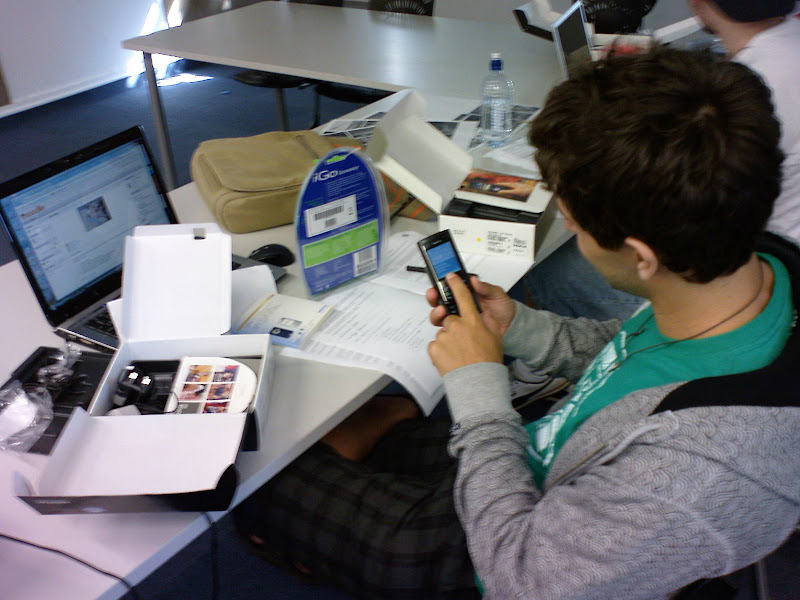
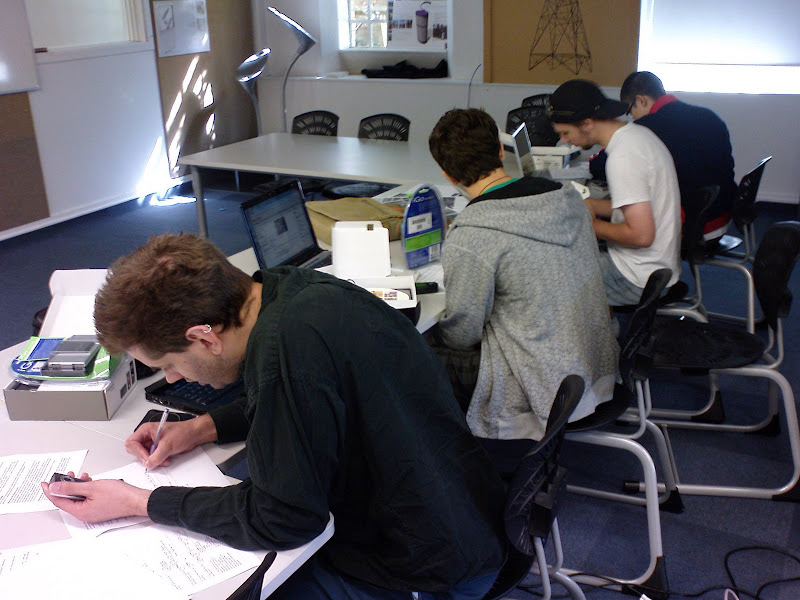
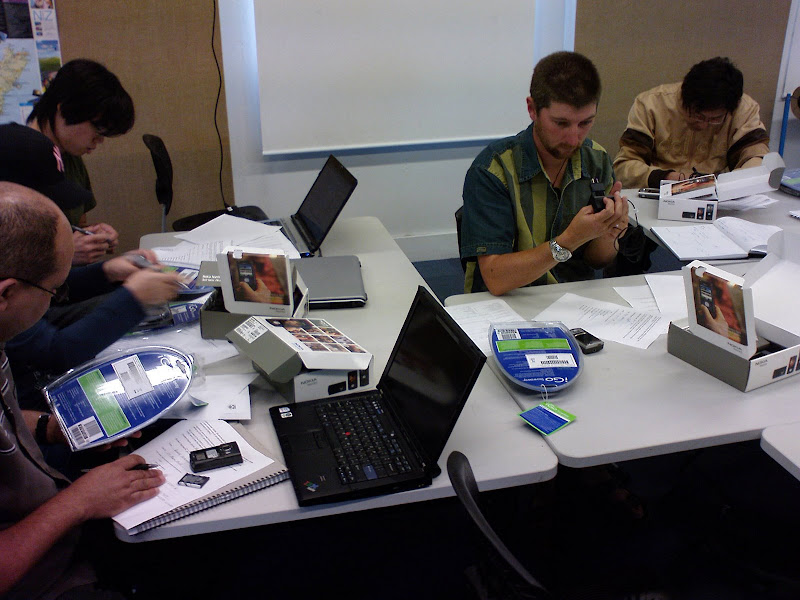
N80 Launch with BDesign (Product) students!

Yesterday we handed out the Nokia N80's and got students underway with WiFi accecss while we're waiting on Vodafone to sign students up on voice and data plans (C'mon Vosafone - get your act together!!!).

UnwrappingN80.JPG

UnwrappingN80_2.JPG

UnwrappingN80_3.JPG

Tuesday, March 11, 2008

MobBlogs

This post from Roger's Vox blog today: (Bachelor Product Design Tutor)
PS - it was a fun session - a bunch of enthusiastic students and two enthusiastic Tutors as well!

MobBlogs: "MobBlogs


Blogging Session

A huge thanks to Thom Cochran from the Unitec CTLI (Centre for Teaching and Learning Innovation) who came into studio this morning and ran a session on blogging and mobile blogging.
The staff along with Thom are researching into the effectiveness of mobile blogging and how it might contribute to or enhance teaching and learning. The Bachelor of Product Design is based upon the 'classic' studio teaching model and through our research project we aim to disrupt this model and seek a new model(s) for the programme. Thom is running another research project with the Landscape Architecture Department and both these projects will be contributing to his PhD studies.


Today we gave out Nokia N80's to a 8 selected students. The N80's come with folding bluetooth keyboards to make copy writing that much easier.
All students in the 3rd year are required to blog as part of their final year projects but these 8 will be taking part in the mobile blogging research project. Each client has been encouraged to take part in the blogging process and to interact with the students whenever possible.


DesignProjects3 11/03/08 8:59 PM DesignProjects3 mobile blogging ctli"


(Via DesignProjects3.)

Friday, March 07, 2008

iPod Touch Trial begins!

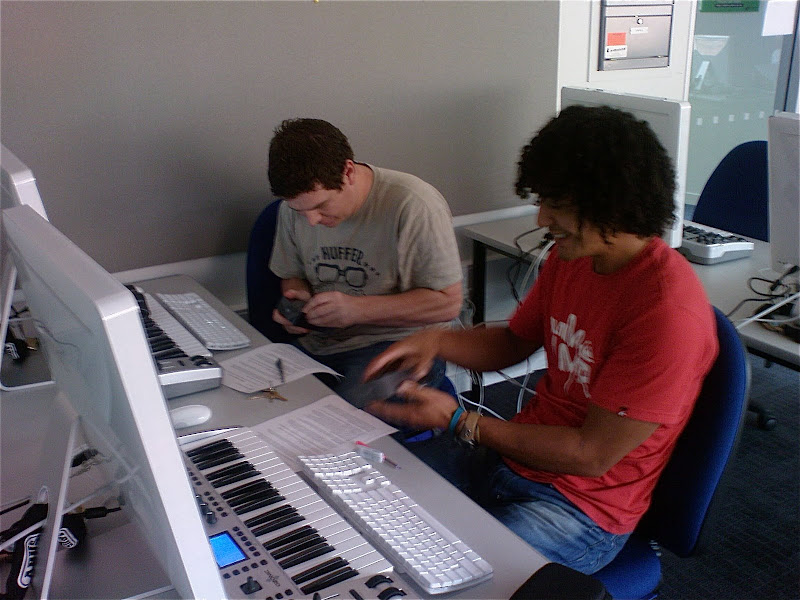
Today we started an iPod Touch mobile trial with Diploma of Contemporary Music students! Great fun - everyone got their iPod Touch configured and setup on the WiFi network.

DSC00228.JPG

DSC00229.JPG

DSC00230.JPG

DSC00231.JPG


Participants:

12 students – students volunteer to participate using provided iPod Touch.

Course Tutors

Technology Steward (Thom Cochrane – CTLI)

The main focus of this project is on the support and enhancement of face to face teaching and learning by using mobile wireless devices (iPod Touch) as a means to leverage the potential of current and emerging collaborative and reflective e-learning tools (e.g. blogs, wikis, RSS, instant messaging, podcasting, social book marking, etc…). These are often called “social software” tools. The iPod’s wireless connectivity and data gathering abilities (e.g. photoblogging, video recording, voice recording, and text input) allow for bridging the on and off campus learning contexts – facilitating “real world learning”.

The learning outcomes for students are
  • Developing critical reflective skills

  • Facilitating group communication

  • Developing an online eportfolio

  • Developing a potentially world-wide peer support and critique network

  • Learning how to maximise technology to enhance the learning environment across multiple contexts


Students and teaching staff will be provided with an iPod Touch (16GB) for the duration of the trial (2008). Internet connectivity will also be available via Unitec WiFi network while on campus. This provides faster, free web access while on campus.

The project will be guided and supported by weekly “technology sessions” facilitated by Thom Cochrane (CTLI).

The core activity of the project is the creation and maintenance of a reflective Blog as part of a course group project. However the iPod can be used to enhance almost any aspect of the course:

The project will use the iPod Touch and PCs (Macs) for the following activities:

  • A reflective Blog (Vox.com)

  • An eportfolio (Vox.com)

  • Email (GMail)

  • RSS (Newsgator.com)

  • Shared Calendars (Google Calenders)

  • Image Blogging (Flickr)

  • Video Blogging (YouTube)

  • Podcasting

  • Instant Messaging and Skype

  • Shared bookmarks (Delicious)

  • Accessing the Course Management System (Blackboard)

  • Document reading (Word, Excel, Powerpoint, PDF using QuickOffice and Google Docs)

Monday, March 03, 2008

iPhone/iPod Touch Web Apps

A brief list of some favourite iPhone/iPod Touch Web Apps (While waiting on the flood of new iPhone apps as a result of the upcoming iPhone SDK release ;-)