
Tuesday, October 06, 2009


Thursday, October 01, 2009

Wednesday, September 30, 2009
Flexible presentation in UCOL Hub

Portable presentation trolley in use
Flexible presentation in UCOL Hub

Flexible presentation in UCOL Hub

Tuesday, September 29, 2009

Friday, September 18, 2009
AVIARY - online Image and audio editor
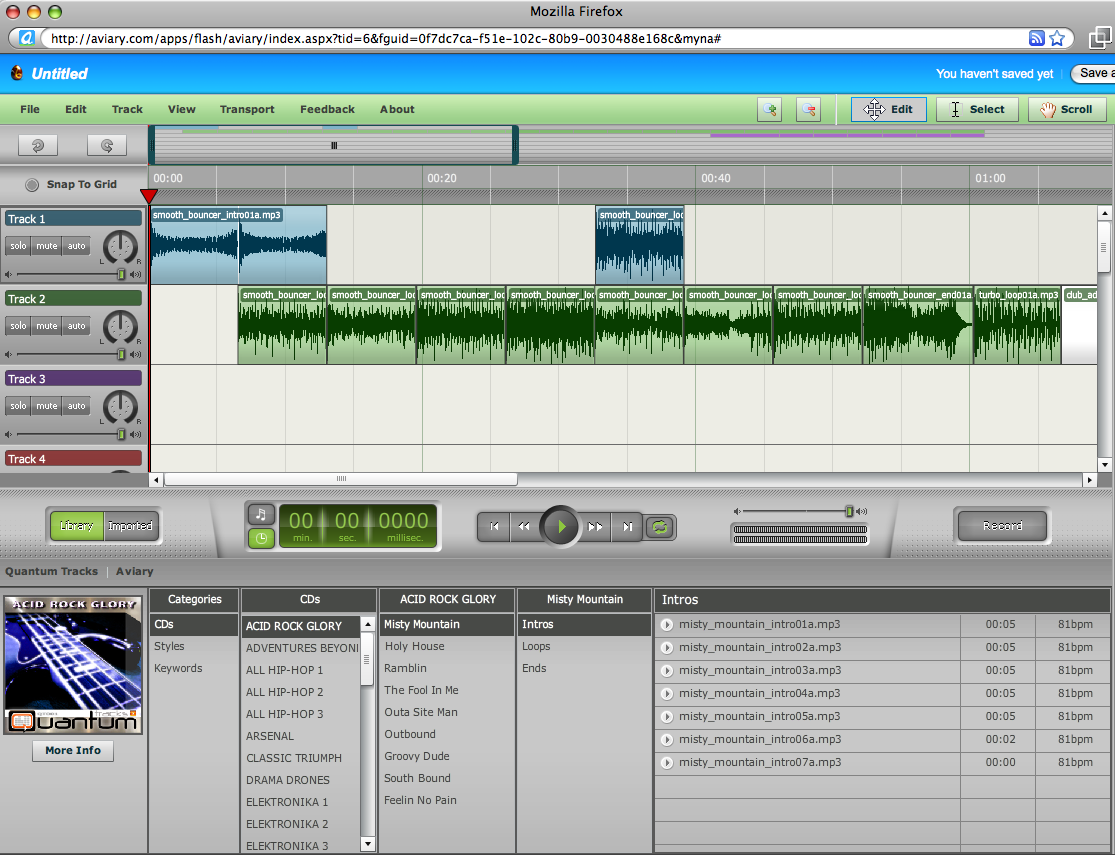
AVIARY http://aviary.com is a set of media recording and editing tools that work inside of your web browser - a powerful 'cloud computing' tool. It's key features include:
Video Intro to Aviary:
Video Intro to the Aviary Audio recorder/editor (Myna)
Example Myna Session:
 denis.egg by denistuning on Aviary
Screenshot:
- Photo Editor (including masks)
- Vector image editor - c.f. Freehand/Illustrator
- Screen Capture
- Multitrack Audio Editor and Recorder - e.g. Garageband, a nicer interface than Audacity!
Video Intro to Aviary:
Video Intro to the Aviary Audio recorder/editor (Myna)
- Visual Waveform editor
- Automation
- Effects
- Import/Export
- Share sessions
Example Myna Session:
denis.egg by denistuning on AviaryScreenshot:
Monday, September 14, 2009

Saturday, September 12, 2009
Livestream - create your own free online TV station
Free online Video streaming tools:
Collate and stream your YouTube videos, live webcam, and even smartphone camera (ustream only), creating a virtual TV station! Great for presenting/sharing compilations of presentations, student projects, events, etc...
- Livestream
- uStream
Collate and stream your YouTube videos, live webcam, and even smartphone camera (ustream only), creating a virtual TV station! Great for presenting/sharing compilations of presentations, student projects, events, etc...
Thursday, September 10, 2009
Apple releases iPod updates, iTunes9 & iPhone 3.1 OS
Today Apple released updated versions of their iPod line - the biggest update being for the iPod Nano which now sports some great media capturing tools:

So Apple now have a great media capturing device at an affordable price point for students. Like a 'Flip' video camera built into an iPod! Camera records at close to DVD quality (640x480, 30fps, H264). Audio includes AIFF, WAV, AAC, MP3 formats. So a potential staged implementation of WMDs for students could look like:
Pricing:
iPod nano
8GB NZ$259
16GB NZ$318
inc GST
New features include ability to remotely organise iPhone screens - i.e. organise apps.

Also Apple gave statistics on games for the iPhone - way ahead of PSP & Wii!!!

iPod Nano
- Camera for video (& images?), sync to YouTube via iPhoto
- Built-in microphone and speaker for audio recording
- Pedometer - good for exercise!
- Nike+ built-in
- FM Radio
So Apple now have a great media capturing device at an affordable price point for students. Like a 'Flip' video camera built into an iPod! Camera records at close to DVD quality (640x480, 30fps, H264). Audio includes AIFF, WAV, AAC, MP3 formats. So a potential staged implementation of WMDs for students could look like:
- students buy iPod Nano in Y1,
- iPhone in Y2,
- Mac 'Tablet' or MacBook in Y3...
Pricing:
iPod nano
8GB NZ$259
16GB NZ$318
inc GST
iTunes9
New features include ability to remotely organise iPhone screens - i.e. organise apps.
Also Apple gave statistics on games for the iPhone - way ahead of PSP & Wii!!!
Tuesday, September 08, 2009
Intentional Communities Of Practice
Here's an overview of the development (2006 to 2009) of an intentional Communities OF Practice model for Academic Professional Development. This grew out of the Dummies2Delight group started in 2006, and has grown into a model for creating and supporting collaborative teaching and learning projects with a technology steward (CTLI/TPA) lecturers and their students.
Video Overview (With focus on mobile web 2.0 projects development):
For more background info on COPs, see Wenger's introduction website and one-page COP setup guide:
- Dummies2Delight Overview 2007: http://docs.google.com/View?id=dchr4rgg_46dw5q29gj
- Community Of Practice invite (2007 original): http://docs.google.com/View?id=dchr4rgg_47g7cxz2f6
- First collaborative COP report 2007:

From Dummies2Delight - Moving Mobile Mainstream (Via Communities Of Practice) 2007: http://docs.google.com/View?id=dchr4rgg_9d4c5z4sw
- CTLI Minisymposium 2007 - COP "Show & Tell". http://www.youtube.com/watch?v=90ORtMXVW2M
- Just What Is A Community Of Practice? (2008): http://docs.google.com/View?id=dchr4rgg_1ft6g3fhp
- Community Of Practice Outline 2008: http://docs.google.com/View?id=dchr4rgg_6dfm64xdd
- Example COP Invite (SPASA 2008): http://docs.google.com/View?id=dchr4rgg_2qhmt3kg6
- TPA Minisymposium 2009: Example COP feedback.
1. http://www.youtube.com/watch?v=j9rK9VKR11Y
2. http://www.youtube.com/watch?v=9HV7Yh3JLss
3. http://www.youtube.com/watch?v=6krZJJ12GCQ
Video Overview (With focus on mobile web 2.0 projects development):
For more background info on COPs, see Wenger's introduction website and one-page COP setup guide:
- Wenger, E. (2005, 14 October). Communities of Practice: a brief introduction Retrieved 17 July, 2006, from http://www.ewenger.com/theory/index.htm
- http://www.ewenger.com/theory/start-up_guide_PDF.pdf
Tuesday, August 25, 2009
Nokia 3G 'Booklet' (netbook)
Just announced - Nokia will be producing a 10" netbook, it's main differences from others will be the quality of the build (one pice machined aluminium - cf Apple MacBooks), 12 hour battery life!, built-in GPS, and integration of OVI and maps software. Unfortunately it will run Windows OS (probably Windows 7). So - now a phone manufacturer makes PCs, and a Computer manufacturer (Apple) makes smartphones!
Wednesday, August 12, 2009
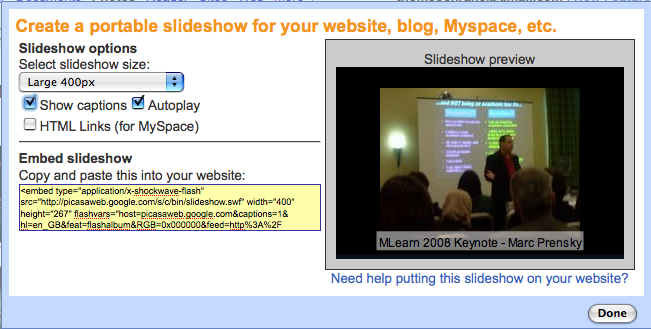
Picasaweb Slideshows
Picasaweb: Interactive Slideshows!
- Use your GMail addrerss to create a free picasaweb account
- Upload Photos to an 'album' on your Picasaweb (use 'Pixelpipe', Shozu or email upload from the XM5800)
- Annotate your uploaded photos
- Geotagged photos will be added to Google Maps - or you can add your pphotos to Google maps manually in your Picasasweb album.
- Embed your album as an interactive slideshow in VOX
- Comment on each others picasaweb photos!

Tuesday, August 11, 2009
Mlearning introduction to Building technology students 11/08/2009
A quick demo of videoblogging using the Nokia N95 smartphone. Students signing up for the first mlearning project with building technology!
Wednesday, August 05, 2009
Architecture MLearning Rollout 2009
Second year Bachelor of Architecture students and staff receiving Dellmin9 netbooks and Nokia xpressmusic 5800 smartphones for mlearning project 2009.
Tuesday, August 04, 2009
Tuesday, July 28, 2009
Film & TV mlearning rollout
You can edit movies directly on the XM5800 smartphone - it includes a basic movie editor similar to iMovie on it - you can cut, paste clips together, add effects and soundtrack, and text/titles directly on the phone, then upload the edited movie to your chosen online site.
To access the movie editor on the XM5800, go to the gallery application, choose a movie, then choose 'options', 'edit' then choose editing options.
e.g. http://www.youtube.com/watch?v=Ct5iBSz8ai4
"Film and TV third year students receive netbooks and smartphones for mlearning project at Unitec. Video and images recorded on an N97, video edited on N97, uploaded directly from N97 via Shareonline/Pixelpipe"
http://pixelpipe.com/item/a3b706e5-f335-4199-accf-4268b774b2a3
Monday, July 27, 2009
Monday, July 20, 2009
Configuring 141 netbooks for mlearning projects
Here's a quick video (recorded and uploaded to YouTube directly from an iPhone 3GS) showing Thom, Vickel & Hung in the process of configuring 141 netbooks for mlearning projects at Unitec last week! The FIRST one was fun! - the next 140 weren't quite so fun ;-)
Saturday, July 04, 2009
Video recorded entirely on iPhone 3GS
from http://mashable.com/2009/07/02/technologic-overkill/
class="enclosure enclosure-center enclosure-auto embed-enclosure"
style="text-align: center;">
style="width: 400px;"
>
Subscribe to:
Posts (Atom)


 Posts
Posts

