Friday, September 12, 2008

Media Streaming on the iPhone

While the iPhone works great with YouTube, using the YouTube application, it does not play friendly with other Flash video sites (at least without 'jailbreaking' it!).

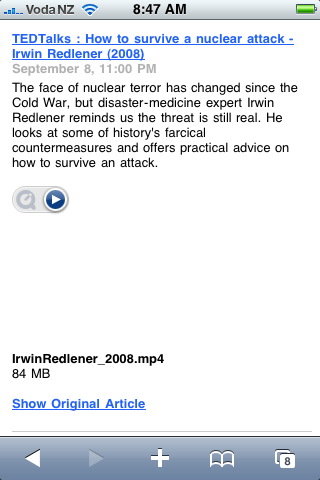
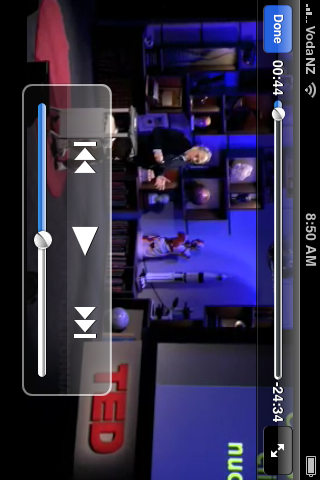
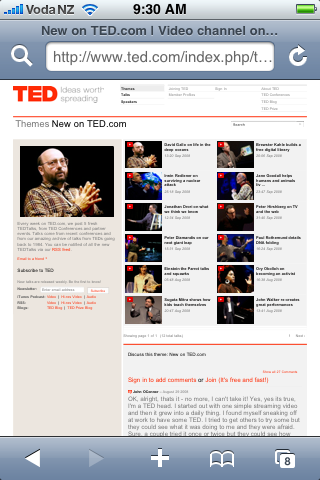
The iPhone dosen't support Flash video - which the main browser video versions of most web - based video sites, such as www.ted.com videos are formatted as, HOWEVER, the iphone happily plays and streams .mp4 video! So finding the .mp4 video link from sites such as www.ted.com videos actually do stream nicely OTA (Over The Air) directly to the iPhone. See screenshots below ;-)

To do this:
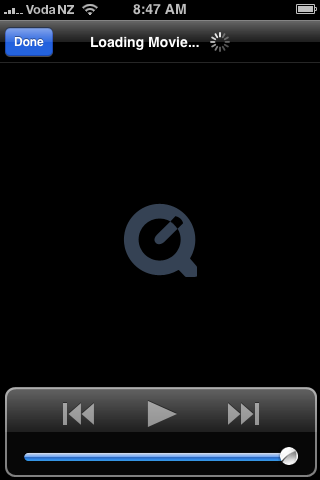
Browse to the video site on Safari on the iPhone. Select the 'RSS' feed links on the iPhone, you can then stream OTA .mp4 video or audio directly from sites like www.ted.com. The iPhone uses an online feed reader to do the conversion for it: http://reader.mac.com, which then displays a Quicktime plugin icon, selecting this icon will then stream the audio or video directly OTA to the iPhone YAY!

Be aware that streaming media does not store it on the iPhone - if you want to watch/listen more than once, it's best to use the iTunes links on your PC to download the video/audio to iTunes on your PC, then sync the downloaded files to your iPhone for offline viewing!

IMG_0065.PNG.PNG


IMG_0066.PNG.PNG


IMG_0064.PNG.PNG


IMG_0059.PNG.PNG


IMG_0060.PNG.PNG


IMG_0062.PNG.PNG


IMG_0063.PNG.PNG

Wednesday, September 10, 2008

The "Myth" of the cost of Mobile Web2

We had an interesting interjection in our Mobile Web2 presentation at eFest - claiming SMS is cheaper and does 90% of what we can achieve via Mobile Web2!

Sadly this miss-information is rife! Lets bury that myth right now!

1. SMS is NOT a media rich, collaborative, user content creation tool! Mobile Web2 is!

2. Costing 20c($0.2NZ) per 160 character message, it is the equivalent of the minimum 3G data, which is charged per kilobyte or part thereof.

Casual 3G data now costs $1NZ for a 10MB per day 'data cap' ($1 per MB thereafter) - soooo, for the same price of 5 x SMS messages (approx 5kb) you get 10MB of rich media using casual web2!!!
OR, to get the equivalent data in SMS messages, it would cost 10000 x $0.2 = $2000NZ. HHhmmmm - who's being more cost effective now!

New iPods and 2.1 iPhone update

iPod receives speaker and headset with microphone and voice recording application - so now you can create multimedia content with the iPod. However I'm disappointed the iPod didn't get updated with a camera as well!

There's also some cool wireless MIDI controller apps available for iPod Touch & iPhone from Silicon Studios - MIDI Controller apps.

SiliconStudiosApp.png


IPhone 2.1 solves looong sync times - YAY!

also discovered some NZ developed iPod/iPhone apps by ORSOME.

WeatherApp.jpg


Check them out at the app store.

Thom

Thursday, September 04, 2008

Flixwagon

Quite impressed with how easy it is to get Flixwagon video streaming going on the N95.
Flixwagon allows you to broadcast live video from your cameraphone to the Internet, and saves it for later editing and sharing. WHY? you may ask - particularly as the N95 takes such great video on the device itself, that can then be uploaded in a multitude of ways to the Internet later?
Reasons I see are:


1. Save memory space on your memory card - video is streamed directly to the Internet, and not permanently stored on your memory card (This is also a downside if you want the higher quality original version later!).

2. Flixwagon provides a direct upload link to YouTube - so you don't need to send your video to YouTube later - it will go there automatically (note - this only works for 'public' video streams).

3. If you have a 'jailbroken' iPhone you can record and save/share video!!!


My first example:


Live mobile broadcasting by Flixwagon. First try using Flixwagon on N95 and 3G streaming, with direct upload to YouTube as well. Obviously some practice needed - including turning camera on first!


YouTube Version


Friday, August 29, 2008

Last Workshop before Japan!

DSC00361.JPG


Last mobile web2 workshop for Diploma Landscape Design students before heading off on their trip to Japan on Monday! They are using Sonyericsson P1i's for moblogging their trip, and also as travel aids:

  • Media player - load your favourite audio (mp3 or aac) and video (mp4) tracks beforehand to the memory card
  • FM Radio - plug in the headset - it acts as the aerial!
  • Alarm clock
  • World Clock
  • eBook or PDF reader
  • Calendar
  • Google Mobile Maps for directions
  • Transport maps e.g. Tube2
  • Language translator

Tuesday, August 26, 2008

Palringo - Instant Messaging

Palringo is an alternative to Fring, a multi-client instant messaging application

Palringo


To download Palringo to your mobile, go to http://www.palringo.mobi on your phones web browser. Palringo supports chat, voice messaging, and photo sharing. It also works on the iPhone.

Thursday, August 21, 2008

New Palm Pro

Well, apparently Palm have finally caught up with the rest of the smartphone world, producing the Palm Pro! It's a shame they've 'sold-out' to Windows Mobile to do it! Still no new Palm OS in sight!!!

The Palm Pro generally matches the specs of the N95, iPhone, and Sonyericsson smartphones. At 2MP the camera is pretty lame still - although at least it supports video recording - unlike the iPhone! It's one advantage over the N95 is the full builtin qwerty keyboard, however you have to put up with the Windows Mobile OS rather than Symbian. It may be worth investigating further, but Mac support is limited to third-party solutions such as "The Missing Sync" for windows mobile etc... I don't know if I could be bothered with the hassle when there are better alternatives ;-) I have also found that students are not drawn to the Treo's or Windows Mobile platforms either - keep it for business Windows only geeks! (Way to go Palm - NOT!)

treo_pro_bb.jpg


Brochures


Platform

Microsoft® Windows Mobile® 6.1 Professional Edition

Processor

Qualcomm® MSM7201 400MHz

Display


320x320 transflective color TFT flush touchscreen

Radio

HSDPA/UMTS/EDGE/GPRS/GSM radio


Tri-band UMTS – 850MHz, 1900MHz, 2100MHz

Quad-band GSM – 850MHz, 900MHz, 1800MHz, 1900MHz


Wi-Fi

802.11b/g with WPA, WPA2, and 801.1x authentication

GPS

Built-in GPS

Bluetooth®
Wireless Technology

Version: 2.0 + Enhanced Data Rate

Memory

256MB (100MB user available), 128MB RAM


Camera

2.0 megapixels with up to 8x digital zoom and video capture

Battery

Removable, rechargeable 1500mAh lithium-ion; Up to 5.0 hours talk time and up to 250 hours standby

Expansion

microSDHC cards (up to 32GB supported)1


Connector

MicroUSB™ 2.0 for synchronization and charging

Audio

3.5mm stereo headset jack

Dimensions

Length: 4.49",
Width: 2.36",
Depth: 0.53",
Weight: 4.69 oz

Color

Obsidian

System Requirements

Windows® XP,
Windows Vista™

Software on device


ActiveSync®; Adobe Reader LE; Bluetooth®; Bubble Breaker; Calculator; Calendar; Communications Manager; Contacts; File Explorer; Get WorldMate; GoogleMaps; Internet Explorer® Mobile; Messaging; Microsoft® Office Mobile including Excel® Mobile, OneNote Mobile, PowerPoint® Mobile, and Word Mobile; My Treo; Notes; Pics & Videos; QuickGPS; Quick Tour; SIM Manager; Solitaire; Sprite Backup; Streaming Media; Tasks; Telenav; Voice Command; Windows Live™; Windows Live™ Messenger; Windows Media® Player Mobile


Wednesday, August 20, 2008

Geotagging with iPhone & N95

The GPS built-in to the N95 and iPhone allows you to locate your position on Google Maps, plot directions, and geotag photos (embed longitude and latitude data into photos taken with the smartphone's camera, allowing location on Google Maps etc...). Other more creative applications are also possible - such as locating restaurants etc...

Online photo-sharing services, such as Flickr, support the use of geotagged data and provide direct links too Maps for locating the exact position where the photo was taken. This can be very useful. This data is usually embedded as EXIF data in a jpeg photo. Quote from Flickr:
What is EXIF data?
Almost all new digital cameras save JPEG
(jpg) files with EXIF (Exchangeable Image
File) data. Camera settings and scene
information are recorded by the camera into
the image file. Examples of stored
information are shutter speed, date and time,
focal length, exposure compensation,
metering pattern and if a flash was used.


When a geotagged photo is uploaded to Flickr, a 'map' link option is presented, and clicking the "more details" link for an uploaded photo will reveal the EXIF data. e.g.

Flickr EXIF data example


On the iPhone, an example GPS enabled geotagging application is "Mobile Photos" - an iPhone Flickr client that supports 'location' details for photos uploaded from the iPhone:

Mobile Photos iPhone app


Mobile Photos on iPhone Settings


iPhone GPS screenshots:


Make sure the "Location Services" option is enabled in the iPhone's settings - as this turns on the GPS!


iPhone GPS1


iPhone GPS3


iPhone GPS2


iPhone GPS4


Nokia N95 GPS Geotagging:


On the N95, use the "GPS Data" application to first get a GPS satellite lock - this can take 10-15minutes the first time - and must be done with a clear view of the sky - either outside or on a windowsill!

Screenshot0046


Start the "GPS Data" application, then select "Navigation", "options", "Show Satellite Status".


When satelite data is obtained, several dark coloured bars will be seen:

Screenshot0047


Now use either the "Location Tagger" or "Shozu" applications to add geotag info to your photos before uploading to Flickr.

Location Tagger:


Screenshot0045


Turning on Geotag option in Shozu Settings:


Screenshot0050


N95 GPS & Google Maps screenshot


Screenshot0044


N95 Geotagged Photo


N95 gps test

Monday, August 11, 2008

ASUS EeePC

Evaluating the ASUS EeepC (900) for use as a cheap. lightweight WiFi laptop for students. Currently it sells for $749NZ, but the 901 is due soon (Double the processor speed and over double the battery life! - same weight & dimensions). It's Linux OS and simple use of open-source and Web2 tools make it an ideal introduction to the world of Web2 in education.

EeePC screenshot: Internet

EeePC screenshot - EeePC Internet based applications - opensource Linux.

  1. Web = Firefox2
  2. Links to Google Tools/Apps

  3. Skype

  4. Messenger = Pidgin

  5. Mail App = Thunderbird

  6. Scripts for Bluetooth (requires additional BT dongle on 900 - builtin on 901)

  7. VODEM script, etc...

Vodafone Casual Data

Here's an example of an SMS that VFNZ sends re iminent 3G data cap blowout. The new VFNZ casual data daily allowance of 10MB for $1 is certainly a huge step in the right direction - great for email, RSS, & a bit of web surfing - but avoid downloading Youtube videos - as you'll blow your daily cap in one go!

vodafone casual daily data cap notice

$1 per MB after the daily 10MB limit reached!

Vodafone NZ new daily casual data cap

Vodafone are advertising their new casual data rate as "Vodafone NOW"

Thursday, August 07, 2008

Mobile Codes in Japan

2D Mobile codes are very popular in Japan - below is a YouTube add about mobile Cods in Japan.
Mobile Codes are supported on most smartphones (cameraphones) including the iPhone


class="enclosure enclosure-center enclosure-large video-enclosure"
style="text-align: center;">

style="padding: 9px; border: 1px solid; width: px; margin: 10px auto;"
>


Sunday, August 03, 2008

'Unlocking' the iPhone 3G


I've been happily using an iPhone 3g via wifi - everything works great, however when using 3g on the Vodafone NZ network I kept getting 'PDP authentication error' messages and no connection. It turns out that iTunes downloads an APN setting to the iPhone that effectively locks the 'unlocked' iPhone to an iPhone plan only APN! To set the iPhone to use any APN browse (using wifi) to http://unlockit.co.nz and enter the prefered APN (use 'internet' for unrestricted access). Restart the iPhone and you will now find a "profile" setting in the iPhone settings with the new APN. Now you can use the iPhone with any Vodafone data plan - including the brand new casual broadband data rate that works on prepay SIMs ($¹per day for a 10MB per day data cap).

Posted by ShoZu


Geolocate this post

Posted with LifeCast

Thursday, July 31, 2008

Vodafone 3G Casual Data finally 'affordable'???

Vodafone NZ have just releasd details of new casual broadband data costs:

http://www.vodafone.co.nz/mobile-data/3g-broadband-plans.jsp


VFNZdataPlans


$1 a day for a data cap of 10MB for casual data - a HUGE improvement of the previous 1c per KB = $10000/GB!

It's also a change that this casual data 'plan' can be used on PREPAY - you don't have to have a voice plan. At last a 'cheap' data plan for students!!!

Tuesday, July 29, 2008

blogit

testing blogit web app ok iPod touch http://blogit.typepad.com

Monday, July 14, 2008

iPod Touch V2 software & Apps

The v2.0 software ($9US) for the ipod touch adds several new features - including third party applications that can be either synched from iTunes or downloaded directly to the iPod. My favourite apps so far include: Mobile Flickr uploader, Shozu, and the ability to take snapshots of the iPod screen (hold down 'home' button & press 'off' button to capture screenshot to 'saved pictures' folder on iPod) - great for creating examples & tutorials, and a way of creating images on the iPod touch without a camera ;-) .

iPod Touch apps


More free iPod Touch apps

The above Apps (Top line are web apps, rest are from itunes App store) are all free except Mobile Flickr (a bargain at $5).

The V2 software update adds ann 'Apps' store icon to the iPod main screen - apps can be purchased & downloaded directly over WiFi to the iPod Touch. To purchase (or download freebies) and synch to iPod via iTunes you need to update iTunes to V7.7 - this adds an 'applications' menu to iTunes.

Screenshots of several iPod Apps below:

Netnewswire (RSS Reader) on iPod Touch

NetNewsWire (free) - RSS reader that synchs with http://www.newsgator.com account online, as well as desktop and Java mobile readers (NetNewsWire on Mac, FeedDemon on PC, Newsgator Go on Java capable phone).

AIM app on iPod Touch

AIM Instant Messanger App (Free). AIM or .Mac only.

VR player app for iPod Touch

VR Viewing App (Free). Also allows you to link to and share your own VR content.

Mobile Flickr app on iPod Touch

Mobile Flickr ($5). Although other apps link to Flickr for free (e.g. Shozu), Mobile Flickr provides access to almost all of your Flickr account options from the iPod Touch. So I thought the small investment worthwhile!

Shozu on iPod Touch

SHOZU (Free) on iPod Touch. A great app for uploading pics and comments to a host of popular blog and media sites, and downloading a selection of Podcasts.A couple of issues with Shozu though:

1. Unfortunately Shozu appears to only synch with one mobile device - so each mobile device requires it's own Shozu account or Shozu gets 'confused' and posts go missing!

2. Shozu only posts to your blog host by uploading a picture - no text only blog posts from Shozu. However, this is nicely covered by a Web App from Sixapart - BLOGIT. I've made a web app shortcut to Blogit on my iPod Touch and linked my Blogger, Wordpress, and VOX blogs to Blogit.

What I'd really like to see is an iPod/iPhone app version of my favourite Mac Blog editor "MarsEdit"!

The Apps really find wings with the iPhone - using the camera for capture & 3G connectivity - but they also significantly enhance the iPod Touch as well.


Tuesday, July 08, 2008

Vodafone NZ Charges "Like a Wounded Bull" For iPhone 3G

Vodafone NZ Charges "Like a Wounded Bull" For iPhone 3G: "

New Zealand will be the first country in the world to get the Apple iPhone 3G, because of the country's position on the international dateline. Vodafone NZ is the carrier which is offering the iPhone, but its pricing plans - released today - have attracted a storm of criticism. Vodafone NZ has decided to charge extortionist prices for the iPhone 3G. Kiwis (including yours truly) are naturally outraged.


The top of the line price is $250 per month for the 16GB iPhone 3G (plus $349 to buy the phone). For that kiwis get a measly 1GB data per month and have to sign for a 24 month contract. The cheapest deal for kiwis is the 8GB black iPhone 3G, for $80 per month (but you have to shell out $549 clams for the phone). Here are the full details from Vodafone NZ's website::


Here's the total price, courtesy of Ben Gracewood and Geekzone:


Note that kiwis can just buy the phone only, without the plan. But the price is a far cry from the $199 touted a month ago when the iPhone 3G was announced. To buy the phone sans plan will cost kiwis $979 for the 8GB and $1129 for the 16GB.


Unfortunately this goes to show once again that phone carriers are greedy opportunists. It also makes a mockery of Apple's claims at its conference last month that it would cost just $199.


On local NZ news tonight, TV3 presenter John Campbell grilled Vodafone marketing executive Mark Rushworth, noting that Vodafone was 'charging like a wounded bull'. The Vodafone spokesman had no response other than a rote description of their outrageous pricing plans. You can see a video of the interview here.


There is currently a petition on Facebook, started by Michael McGimpsey. Go sign it, even if you're not from NZ (very likely, given that less than 1% of our readers are from there). Carrier greed worldwide is probably the major reason why the Mobile Web is struggling to take off.


"


(Via Read/WriteWeb.)

Tuesday, July 01, 2008

Elearning Guidelines


Poster presentations at herdsa2008

Posted by ShoZu