2nd year students excitedly
unwrapping their mobile pack!
Thursday, June 26, 2008


Monday, June 23, 2008
BDesign Tag Cloud

Tag Cloud from Bachelor of Product Design Students mobile trial June 2008. Created using WORDLE (http://wordle.net)
Wednesday, June 18, 2008
BDesign Mobile Trial Reflections
Students and tutor reflect on the mobile trial soo far:
Question1. What are the benefits of Moblogging (Mobile Blogging)?
Question2. Why Blog?
Question1. What are the benefits of Moblogging (Mobile Blogging)?
Question2. Why Blog?
Friday, June 13, 2008
BDesign 2008 Mobile Kit
Here's an quick look at the mobile setup for the Bachelor of Design mobile trial for Semester2 2008 at Unitec:
1. Nokia N95 + 1GB card
2. Nokia BT headset (for the 'geek'look!)
3. Folding Bluetooth keyboard for faster text entry.
4. Case and screen protector.
And Not shown:
5. Moodle for support notes.
6. VOX (http://www.vox.com) for blog/eportfolio.
Wednesday, June 11, 2008
iPhone 3G NZ update
Vodafone NZ now have a news bulletin on their site re the release of the iPhone 3G on 11 July - not much info & no pricing from Vodafone yet - however the NZ Herald qoted the 8GB iPhone 3G to be $365NZ this morning - that's less than a third of the parallel import price of the original iPhone!
"Australia, Italy, New Zealand and Portugal will be the first Vodafone markets to offer customers iPhone 3G for purchase on July 11. iPhone 3G will be available via Vodafone on both prepay and contract price plans which will include great value data bundles."
Tuesday, June 10, 2008
Unwrapping N95s!
Bachelor of Design students unwrapping their shiny new Nokia N95s - an upgrade from the N80s they have soo far used for the mobile trial at unitec! YAY!


New 3G iPhone
3G iPhone announced today!
• Available NZ 11 July – Vodafone
• 8GB $200US ($300 NZ), 16GB $300US ~ $500NZ !
• App store coming – some free blogging apps announced (Typepad)
• Will there be a voice/data contract required as part of purchase???

New Features:
* UMTS/HSDPA
* GPS
* iPhone2 software
* MobileMe synchronization (an updated dotMac)
* iPhone/iPod applications & app store coming soon
Still Missing:
* Video recording
* only 2MP camera resolution still, & no flash lighting
* No secondary camera for video conferencing
* No handwriting recognition
* No Java
* No Flash
The iPhone has the best mobile web experience available, but the holes in its feature set still hamper it. It's biggest benefit is the intuitive User Interface - this is the major downfall of Symbian S60 & UIQ mobile OSes.
Wednesday, June 04, 2008
Mini Laptops - competition between Asus & Acer
Acer Aspire One mini laptop - Linux & WinXP versions. An Eee PC competitor set to undercut the Eee PC 900 and 901. Isn't competition great!
No bluetooth builtin (same as Eee) though :-(
http://www.acer.com/aspireone/feeling.html
http://gizmodo.com/5012589/acer-aspire-one-also-priced-to-kick-assus-soon-to-pack-3g

Tuesday, June 03, 2008


Interesting Mobile statistics
From the Symbian S60 Summit 08 (last weekend)
Usage of Mobile Phones:

http://www.flickr.com/photos/rafeblandford/2544559105/in/set-72157605390553644/
Usage of Mobile Phones:
- 12% Voice
- 16% Multimedia
- 37% Messaging
- 8% Web Browsing

http://www.flickr.com/photos/rafeblandford/2545382334/in/set-72157605390553644/
2005 - 2007 Mobile Browsing & Multimedia on the rise
http://www.flickr.com/photos/rafeblandford/2544559105/in/set-72157605390553644/
Friday, May 30, 2008
Creating a Podcast Show using VOX Collections
The steps involved in creating a PodCast Show using VOX and the iTunes Store are:
- Record your Podcast show episode and convert to either mp3 or mp4 (aac, m4a).
- Upload
your audio file (Podcast episode) to your Vox blog - either as a post
attachment or upload directly into your Vox 'Audio' folder in your Vox
Library. - Create a 'Collection' in Vox and name it - e.g. 'My Podcast Show'.
- Add
your Podcast Episode to your Podcast 'Collection' in Vox - note
providing a description and tag words will make it easier for listeners
to search for your Podcast show and categorize it! - Find your Vox Podcast Collection RSS feed and copy it.
- It will be in the form: http://thomcochrane.vox.com/podcast-show/atom.xml
- i.e. http://yourvoxname.vox.com/yourvoxcollectionname/atom.xml
- Open
iTunes, choose 'Advanced', 'Subscribe to Podcast' and paste your
Podcast RSS feed - iTunes will then download and play your Podcast show
episodes! - Share your iTunes Podcast Playlist (and your RSS feed) with the rest of the class!
- To get your Podcast show on iTunes:
- Submit your Shows RSS feed to iTunes
- Launch iTunes.
- In the left navigation column, under iTunes Store, click on the Podcasts link to go to the Podcasts page.
- In the left column of the Podcasts page, in the Learn More box at the bottom, click on the Submit a Podcast link.
- Follow the instructions on the Submit a Podcast page.
- Note that you will need a valid iTunes account, and you will need to be logged into iTunes.
- You will receive a confirmation email from Apple.
Monday, May 19, 2008
Mobile Trial 'Reflections'
Here's a few examples of students & tutors first time VODCast 'reflections' on the iPod Touch and Nokia N80 mobile trials:
iPod Touch Trial - Diploma Contemporary Music (Waitakere Campus)
12/05/08 from http://djoblin.vox.com/
12/05/08 from http://steve125.vox.com/
Nokia N80 Trial - Bachelor of Product Design (Mt Albert Campus)
Thursday, May 15, 2008
JoikuSpot - Now this is cool!
Here's an S60 app that allows you to share your 3G Internet connection from your Nokia cellphone via WiFi with any WiFi enabled device! - why is this cool? - it means you don't have to stuff around setting up bluetooth connections from your laptop, and non-bluetooth devices with WiFi can connect to the Internet anywhere you have cellphone coverage (e.g. iPod Touch, PSP, Eee PC...). It also means that you are not limited by sharing via a slow bluetooth connection (1-2Mbps) but can share the full HSDPA speed (up to 3.6Mbps). It supports NSeries and ESeries Nokia phones with WiFi.
"JoikuSpot is FREE and SECURE Mobile HotSpot solution that turns Nokia phones to a WLAN HotSpot.
JoikuSpot software is installed directly to the phone. When switched on, laptops and iPods can establish instant, secure and fast WLAN connection via smartphone's JoikuSpot HotSpot using phone's own 3G internet connection.
Multiple devices can connect to JoikuSpot in parallel and seamlessly share the same 3G internet connection.
You can use JoikuSpot to access internet e.g. on the train, car, sailing boat, summer cottage, hotel, while walking, or when at remote office...where ever you are!"
Another useful S60 application from Joiku is HandyWi
Bascially a better WiFi hotspot finder than the builtin connection app for S60.
"HandyWi is freeware software, which helps your to discover and connect to private and public WiFi hotspots on your mobile phone. Application is designed to work with any 802.11a/b/c/g hotspots"

Monday, May 05, 2008
UPnP on Nokia NSeries
UPnP (Universal Plug n Play) technology is nicely integrated into the Nokia NSeries smartphones. This provides a way to wirelessly stream media (Video, Images, and Audio) from your smartphone to UPnP enabled devices or software applications.
On the N80, UPnP provides a way of viewing video & images from the N80 directly on a Mac or PC laptop (When connected to a video projector this enables large group viewing/interaction). On the newer NSeries phones (N95, N82) a dedicated video/audio out connector is provided - but it's still cool to stream media wirelessly!
UPnP setup:
- On the N80/N95 Scan for WiFi access point & connect
- On the N80/N95 find the 'Home Network' application
- Configure the Home Network appication for your WiFi connection and choose which media to share wirelessly
- Start a UPnP capable software application on your Mac or PC: on PC (Simple Center http://experience.nokia.se/VideoTV/howto/howto_2.aspx ) & Mac (Mediacloud) http://users.pandora.be/bruno.keymolen/hmediamac.html
- Now wirelessly browse & display your mobile media!


I've yet to get UPnP working on the P1i or the Nokia E90 :-(
Mobile Vodcasting
I've been experimenting with the possibilities of mobile Vodcasting (Video casting) recently.
The N-Series Nokia's make this a painless exercise (the multimedia capabilities of the NSeries phones is exceptional - it's just their lack of text entry options and poor battery life that let then down - you really need to carry a Bluetooth keyboard with you all the time for any length of text input):
- Place your smartphone in a deskstand. Turn on the camera on your smartphone, or start the 'camera' application.
- Choose 'use secondary camera (the 'front low resolution camera)
- Choose video mode and 'shoot' your vodcast. This will be saved as a 176x144 .3gp (H263 mpeg4) compressed video, suitable for mms or emailing. The built-in microphone does a reasonable job of recording the audio accompanying the video.
- Edit your video recording
- Upload your edited video to your online video host or Blog - using either email or Shozu.
Non NSeries cameraphones:
The Sonyericsson P1i does not have a built-in video editor, nor does the front camera record stills or video - it's solely for video conferencing :-( .
However the main camera records video at 320x240, 15fps. To edit and upload your video clips from the P1i:
- Create a free Jumpcut or Photobucket account.
- Find your email upload address, and email your video clips to Jumpcut or Photobucket from your P1i
- Logon to your Jumpcut/Photobucket account on a computer and edit your uploaded clips into a 'movie'.
- Embed the final 'movie' into your Vox blog etc...
Obviously Jumpcut and Photobucket can also be used with the Nokia NSeries phones as well - their online video editors are more fully featured than the built-in video editor on the phones, and Jumpcut or Photobucket also provide extra features such as embedding a video player in most blog hosts, and voting polls etc...
Below is an example of a Vodcast created by recording clips on an N95 secondary camera & a P1i, then uploaded via email to a Jumpcut account and edited into a short 'movie' using the Jumpcut editor - pretty cool technology! (Pity about the video ;-) )

http://www.jumpcut.com/view?id=1FD4F6F419D711DDAB75000423CEF5B0
Monday, April 21, 2008
N95 Video editing
Here's a quick example of using a Nokia N95 to capture and edit a video (including inserting still images, audio and titles) then upload it (Emailed to my account at xxxxxxxxx@mms.youtube.com) to YouTube all from the N95 - no 'computer' involved!
Oops - in my excitement I forgot I added a section of copyrighted audio as an additional soundtrack! It's interesting to see how YouTube's automatic copyright identification picked that up!
http://www.google.com/support/youtube/bin/answer.py?hl=en&answer=83766&hl=en_US
"UMG has claimed some or all audio content in your video n95 video example (MyN95Video.mp4). This claim was made as part of the YouTube Content Identification program.
Your video is still live because UMG has authorized the use of this content on YouTube. As long as UMG has a claim on your video, they will receive public statistics about your video, such as number of views. Viewers may also see advertising on your video's page."
Don't worry - I won't be making any money from this video :-D
I'll upload an edited version with my own original music instead shortly!
Version2 - non copyright below now! In the N95 media gallery I chose my edited video, then chose 'change sound' and replaced the first audio track with one from my old band (When I used to be a rock star!). VOILA!
Oops - in my excitement I forgot I added a section of copyrighted audio as an additional soundtrack! It's interesting to see how YouTube's automatic copyright identification picked that up!
http://www.google.com/support/youtube/bin/answer.py?hl=en&answer=83766&hl=en_US
"UMG has claimed some or all audio content in your video n95 video example (MyN95Video.mp4). This claim was made as part of the YouTube Content Identification program.
Your video is still live because UMG has authorized the use of this content on YouTube. As long as UMG has a claim on your video, they will receive public statistics about your video, such as number of views. Viewers may also see advertising on your video's page."
Don't worry - I won't be making any money from this video :-D
I'll upload an edited version with my own original music instead shortly!
Version2 - non copyright below now! In the N95 media gallery I chose my edited video, then chose 'change sound' and replaced the first audio track with one from my old band (When I used to be a rock star!). VOILA!
New generation of laptops is literally child's play
Here's an enthusiastic look at the ASUS Eee PC - a miniature affordable laptop that (I think) has huge potential in education
New generation of laptops is literally child's play: "Grateful"
Friday, April 18, 2008
You have a PXT from 6421753814
Video entirely captured edited & processed for mms on N95
|

Interactive Concept Map
I've added an 'Interactive Concept Map' to give a visual representation of the workflow and interaction of the smartphone and mobile web2 services that we are aiming at in the mobile projects. Let me know if this helps with conceptualizing what we are doing!
http://ltxserver.unitec.ac.nz/~thom/mobileweb2concept2.htm
Tuesday, April 15, 2008
Mobile Web2 Concept Map
I've put together a visual 'concept map' of the mobile web2 trials and a table briefly outlining the web2 tools and their pedagogical alignment with a constructivist learning environment.
Any feedback welcome!
Right-click image and 'save as' to download higher resolution version (Low res embedded in blog post for space saving).

Pedagogical Design
Any feedback welcome!
Right-click image and 'save as' to download higher resolution version (Low res embedded in blog post for space saving).
Pedagogical Design
The core activity of the project is the
creation and maintenance of a reflective Blog as part of a course group
project. Additionally a variety of mobile friendly web 2 tools are used in
conjunction with the smartphone. The trials investigate how the smartphone can
be used to enhance almost any aspect of the course. The project uses the
smartphone and Personal Computers for the following activities (see the
following table illustrating the alignment of these activities with the
projects underlying social constructivist pedagogy):
Activity | Overview | Pedagogical outcomes |
A reflective Blog | A blog post (including media) can | Developing critical and |
An eportfolio | VOX (http://www.vox.com | Collaborative sharing of media |
Email | GMail (http://gmail.com | Communication and collaboration |
RSS | RSS enables subscribing and Google reader (http://reader.google.com ) is a great web based RSS reader, | Collaboration |
Shared Calendars | Google Calendars (http://calendar.google.com ) can be | Time scheduling and collaboration |
Image Blogging | Dedicated image sharing | Event, data and resource |
Video Blogging | YouTube (http://www.youtube.com ) is currently the | Event, data and resource |
Shozu | Shozu is a service for linking | Shozu provides links between all |
Podcasting | Uploading an audio file to Vox | Interviews, critiques, |
Instant Messaging and Skype | Fring (http://www.fring.com) is a free Instant | Communication and collaboration |
Shared Bookmarks | Delicious (http://del.icio.us ) is a social bookmarking | Collaboration |
LMS | Moodle is a mobile friendly | Scaffolding and support |
Mobile Google | A gateway into the Google Mobile | Links to tools that support all |
Mobile Codes | Mobile Codes (Datamatrix codes in | Scaffolding, support, |
Web Browsing | The Built-in Web Browser is very | Research skills |
Document Reading & Editing | Google Docs (http://docs.google.com ) is Microsoft Word, | Documentation, reflection, |
Table 1.
Table of trial activities aligned to social constructivist pedagogical
outcomes.
Wednesday, April 02, 2008
DipLandscape Design Mobile trial 2008
Today saw the start of the third mobile trial with Diploma Landscape Design students
In this initial session we covered:
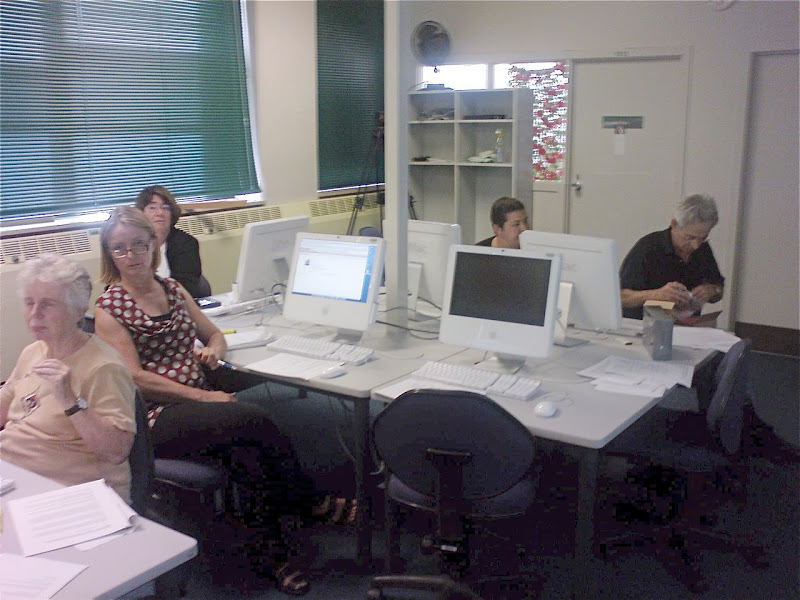
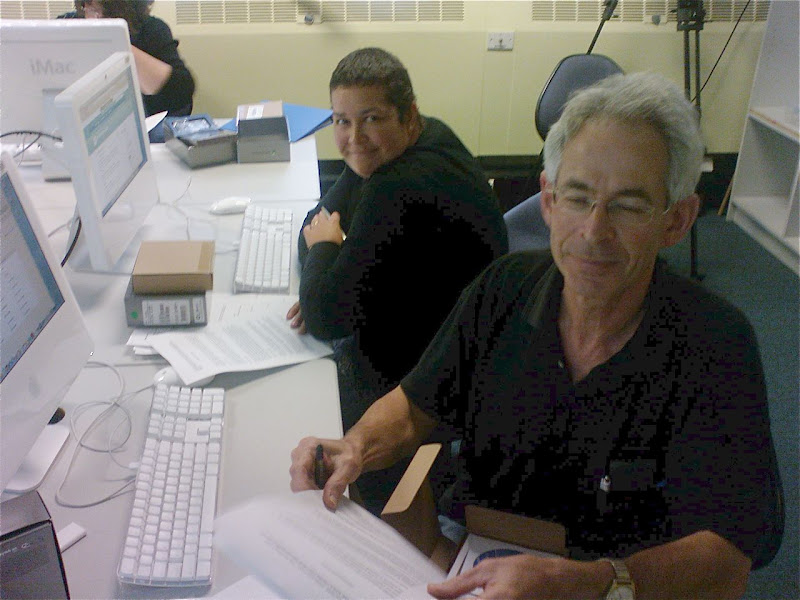
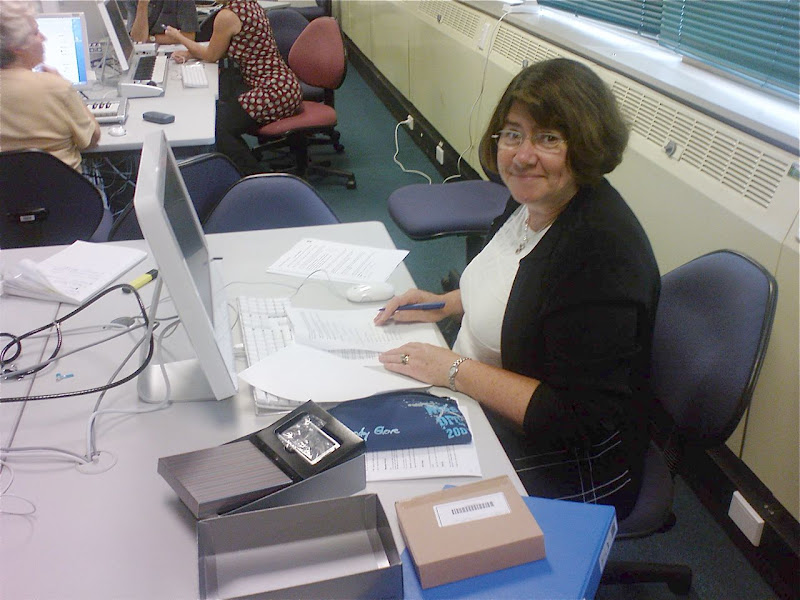
As you can see, they are a 'more mature' bunch of students than previous years! The Web2 'Net Generation' is an attitude - not an age differentiator :-)
- 2006 - Palm TX WiFi PDAs, SplashBlog
- 2007 - Nokia N80 smartphones, Wordpress & Vox
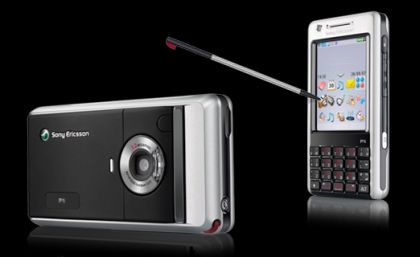
- 2008 - Sonyericsson P1i smartphones plus Bluetooth keyboards, Vox
In this initial session we covered:
- Introduction of the project
- Created GMail accounts
- Created Moodle accounts and Profiles (including photos)
- Created Vox eportfolio accounts
- Handed out the smartphones
As you can see, they are a 'more mature' bunch of students than previous years! The Web2 'Net Generation' is an attitude - not an age differentiator :-)
Monday, March 31, 2008

Thursday, March 27, 2008

Tuesday, March 25, 2008
Cycling the otago railtrail
Halfway through the otago halfway - a great relaxing 4 day ride with good food & quaint accomodation!

Tuesday, March 18, 2008
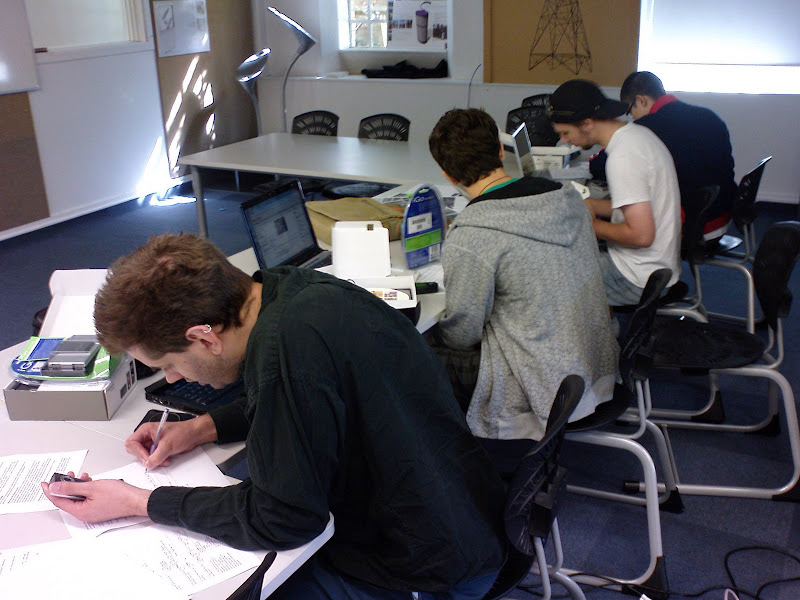
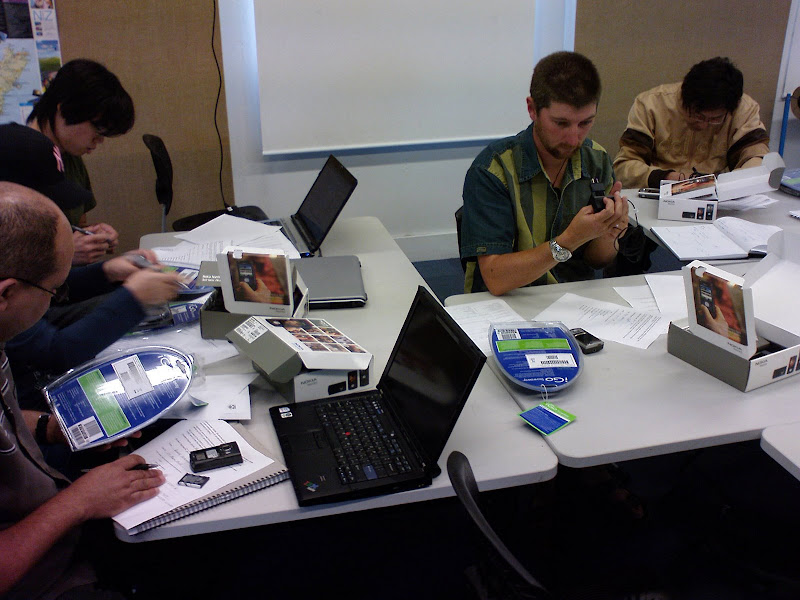
N80 Launch with BDesign (Product) students!
Yesterday we handed out the Nokia N80's and got students underway with WiFi accecss while we're waiting on Vodafone to sign students up on voice and data plans (C'mon Vosafone - get your act together!!!).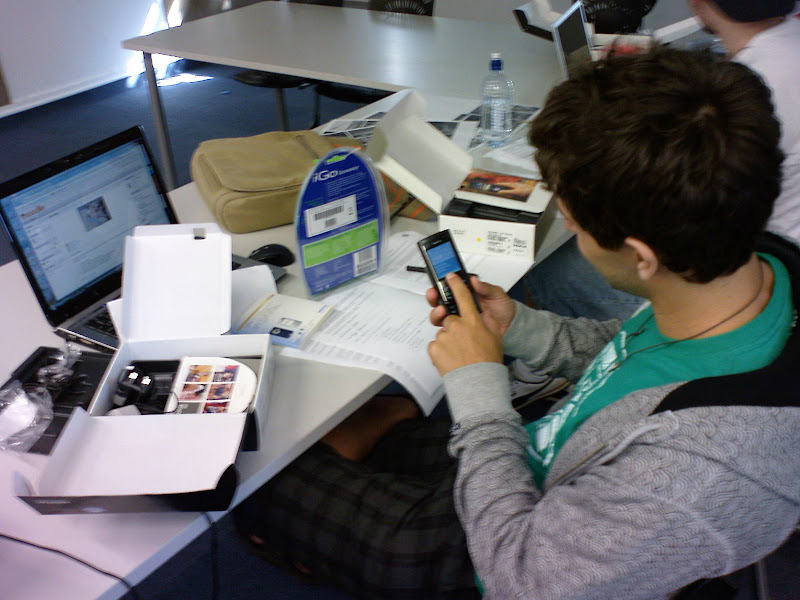
Tuesday, March 11, 2008
MobBlogs
This post from Roger's Vox blog today: (Bachelor Product Design Tutor)
PS - it was a fun session - a bunch of enthusiastic students and two enthusiastic Tutors as well!
DesignProjects3 11/03/08 8:59 PM DesignProjects3 mobile blogging ctli"
PS - it was a fun session - a bunch of enthusiastic students and two enthusiastic Tutors as well!
MobBlogs: "MobBlogs
Blogging Session
A huge thanks to Thom Cochran from the Unitec CTLI (Centre for Teaching and Learning Innovation) who came into studio this morning and ran a session on blogging and mobile blogging.
The staff along with Thom are researching into the effectiveness of mobile blogging and how it might contribute to or enhance teaching and learning. The Bachelor of Product Design is based upon the 'classic' studio teaching model and through our research project we aim to disrupt this model and seek a new model(s) for the programme. Thom is running another research project with the Landscape Architecture Department and both these projects will be contributing to his PhD studies.
Today we gave out Nokia N80's to a 8 selected students. The N80's come with folding bluetooth keyboards to make copy writing that much easier.
All students in the 3rd year are required to blog as part of their final year projects but these 8 will be taking part in the mobile blogging research project. Each client has been encouraged to take part in the blogging process and to interact with the students whenever possible.

DesignProjects3 11/03/08 8:59 PM DesignProjects3 mobile blogging ctli"
(Via DesignProjects3.)
Friday, March 07, 2008
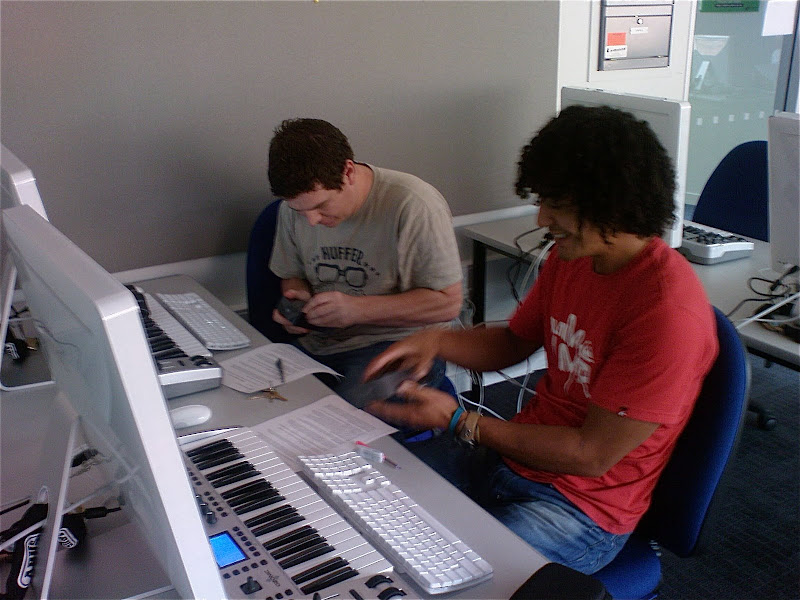
iPod Touch Trial begins!
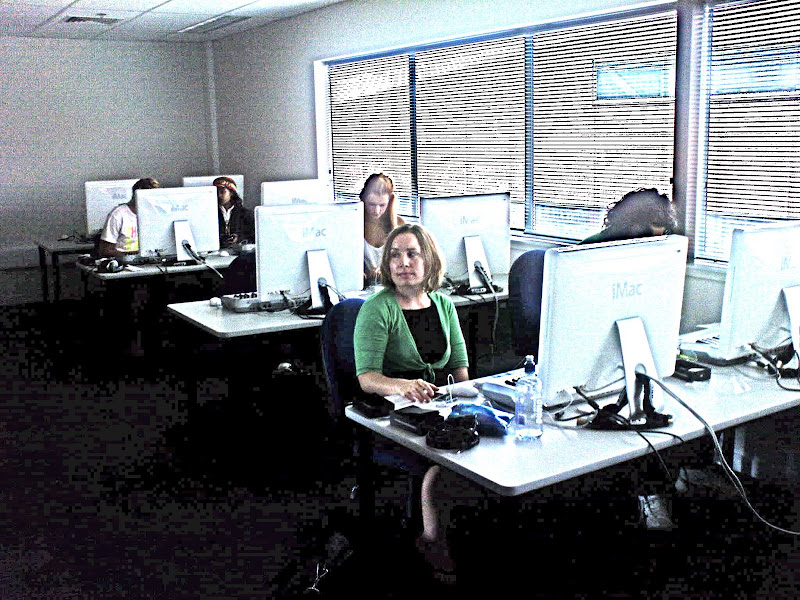
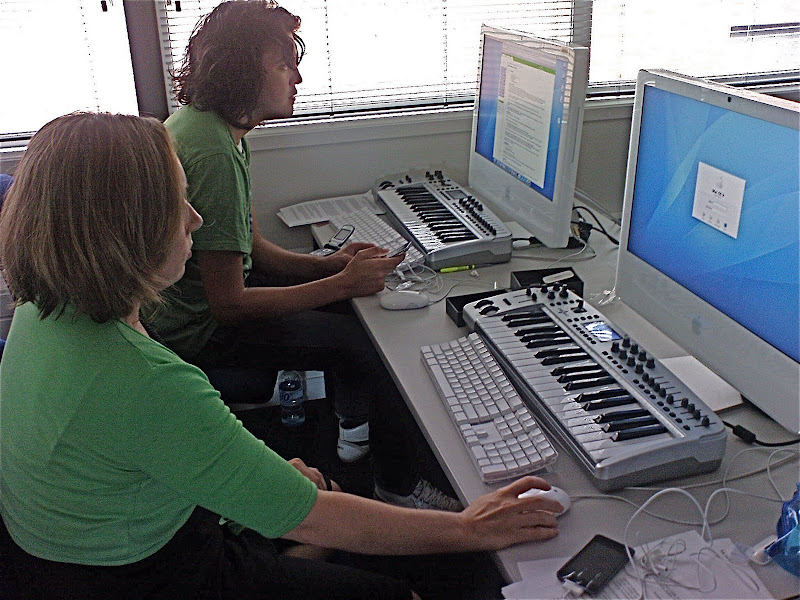
Today we started an iPod Touch mobile trial with Diploma of Contemporary Music students! Great fun - everyone got their iPod Touch configured and setup on the WiFi network.

Participants:
12 students – students volunteer to participate using provided iPod Touch.
Course Tutors
Technology Steward (Thom Cochrane – CTLI)
The main focus of this project is on the support and enhancement of face to face teaching and learning by using mobile wireless devices (iPod Touch) as a means to leverage the potential of current and emerging collaborative and reflective e-learning tools (e.g. blogs, wikis, RSS, instant messaging, podcasting, social book marking, etc…). These are often called “social software” tools. The iPod’s wireless connectivity and data gathering abilities (e.g. photoblogging, video recording, voice recording, and text input) allow for bridging the on and off campus learning contexts – facilitating “real world learning”.
The learning outcomes for students are
Students and teaching staff will be provided with an iPod Touch (16GB) for the duration of the trial (2008). Internet connectivity will also be available via Unitec WiFi network while on campus. This provides faster, free web access while on campus.
The project will be guided and supported by weekly “technology sessions” facilitated by Thom Cochrane (CTLI).
The core activity of the project is the creation and maintenance of a reflective Blog as part of a course group project. However the iPod can be used to enhance almost any aspect of the course:
The project will use the iPod Touch and PCs (Macs) for the following activities:

Participants:
12 students – students volunteer to participate using provided iPod Touch.
Course Tutors
Technology Steward (Thom Cochrane – CTLI)
The main focus of this project is on the support and enhancement of face to face teaching and learning by using mobile wireless devices (iPod Touch) as a means to leverage the potential of current and emerging collaborative and reflective e-learning tools (e.g. blogs, wikis, RSS, instant messaging, podcasting, social book marking, etc…). These are often called “social software” tools. The iPod’s wireless connectivity and data gathering abilities (e.g. photoblogging, video recording, voice recording, and text input) allow for bridging the on and off campus learning contexts – facilitating “real world learning”.
The learning outcomes for students are
- Developing critical reflective skills
- Facilitating group communication
- Developing an online eportfolio
- Developing a potentially world-wide peer support and critique network
- Learning how to maximise technology to enhance the learning environment across multiple contexts
Students and teaching staff will be provided with an iPod Touch (16GB) for the duration of the trial (2008). Internet connectivity will also be available via Unitec WiFi network while on campus. This provides faster, free web access while on campus.
The project will be guided and supported by weekly “technology sessions” facilitated by Thom Cochrane (CTLI).
The core activity of the project is the creation and maintenance of a reflective Blog as part of a course group project. However the iPod can be used to enhance almost any aspect of the course:
The project will use the iPod Touch and PCs (Macs) for the following activities:
- A reflective Blog (Vox.com)
- An eportfolio (Vox.com)
- Email (GMail)
- RSS (Newsgator.com)
- Shared Calendars (Google Calenders)
- Image Blogging (Flickr)
- Video Blogging (YouTube)
- Podcasting
- Instant Messaging and Skype
- Shared bookmarks (Delicious)
- Accessing the Course Management System (Blackboard)
- Document reading (Word, Excel, Powerpoint, PDF using QuickOffice and Google Docs)
Monday, March 03, 2008
iPhone/iPod Touch Web Apps
A brief list of some favourite iPhone/iPod Touch Web Apps (While waiting on the flood of new iPhone apps as a result of the upcoming iPhone SDK release ;-)
- * Flickr Poto Sharing m.flickr.com/h
- * YouTube m.youtube.com/
- * Wordpress Blog m.wordpress.com/
- * Vox Blog www.vox.com/
- * Google Reader www.google.com/reader/m/view/
- * Google Calendar www.google.com/calendar/render
- * Google Docs docs.google.com/
- * GMail mail.google.com/
- * Pownce m.pownce.com/
- * Picasaweb photo sharing picasaweb.google.com/home
- * Google Maps maps.google.com/
- * MobileWebDocs www.mobilewebdocs.com/
- * iPocket Bible www.ipocketbible.com/go/login.asp
- * Netvibes Homepage iphone.netvibes.com/
- * SnapMyLife www.snapmylife.com/
- * Skype for iPhone s4iphone.com/index_iphone.jsp
- * AIM Instant Messaging x.aim.com/ty/#_startPage
- * JWire - find free WiFi hotspots iphone.jiwire.com/
- * Stopwatch www.kudit.com/desktop/kudit.php?shortname=stopwatch&success=false
- * Bloglines RSS Reader www.bloglines.com/mobile
- * Zoho MS Office mini.zoho.com/iZoho.jsp
- * Mundu Instant Messaging iphone.mundu.com/
- * Newsgator RSS Reader m.newsgator.com/iphone.aspx
- * iGoogle Homepage www.google.com/ig/i
- * Mobile Delicious Social Bookmarking mobilicio.us/
Wednesday, February 20, 2008

Thursday, February 07, 2008
Moodle Case Study
An interesting case study of students perception on the use of Moodle and its web2 tools integration: from Educause
"Moodle, an open source course management software, is not only a tool for communication and reflection but also a virtual learning object. Explore how students in an information-literacy course respond to, comprehend, and use a variety of web 2.0 technologies in a single online environment."
Read the PDF report HERE.
"Moodle, an open source course management software, is not only a tool for communication and reflection but also a virtual learning object. Explore how students in an information-literacy course respond to, comprehend, and use a variety of web 2.0 technologies in a single online environment."
Read the PDF report HERE.
Wednesday, January 30, 2008
Students use of IT
An interesting survey summary from Educause ECAR, outlining 10 key findings of the 2007 ECAR study of Students and Information Technology usage.
"What information technologies are used by undergraduates? How does IT contribute to their academic experiences and learning? What has changed since 2005? ECAR presents 10 key findings from the fourth annual survey of undergraduates, with responses from 27,846 students at 103 higher education institutions."
ECAR conclude with two key action focii:
Read more below:
Caruso, J. B., & Salaway, G. (2007). Highlights of the 2007 ecar study of students and information technology. ECAR Symposium 2007 Retrieved 21 January, 2008, from http://connect.educause.edu/Library/ECAR/Highlightsofthe2007ECARSt/45912
"What information technologies are used by undergraduates? How does IT contribute to their academic experiences and learning? What has changed since 2005? ECAR presents 10 key findings from the fourth annual survey of undergraduates, with responses from 27,846 students at 103 higher education institutions."
- One size does not fit all
- Social Uses of IT- Important and Personal
- CMS Usage is Up
- IT is All About Convenience
- IT as a Utility
- Students’ Assess Their IT Skills
- Curriculum Matters
- IT in Instruction –Striking the Balance
- Mobility –A Steady Increase
- Learning –It’s All about Instructors
ECAR conclude with two key action focii:
- Action Focus: IT Services
- • Move toward 24 x 7 availability
–Networks
–Email
–CMS and other services - • Strengthen the Help Desk
- • Continue wireless initiatives
- • Watch usage trends for handheld devices
- • Move toward 24 x 7 availability
- Action Focus: IT in Courses
- • Know your students’ IT profile
–What technology do they own?
–What are their IT skills? - • Assess use of IT in courses
–Is there a balance between IT and instructor
interaction?
–How can you leverage the curriculum?
–Are faculty trained in the IT they need?
–Do students have the skills they need?
- • Know your students’ IT profile
Read more below:
Caruso, J. B., & Salaway, G. (2007). Highlights of the 2007 ecar study of students and information technology. ECAR Symposium 2007 Retrieved 21 January, 2008, from http://connect.educause.edu/Library/ECAR/Highlightsofthe2007ECARSt/45912
Friday, January 25, 2008
YouTube Mobile Updated
The YouTube mobile website version (http://m.youtube.com)has been updated with more features and a better interface, so now it supports almost any mobile phone with a data connection (Best viewed over a WiFi network!). There is also a YouTube Java appplication (currently for a small number of 3G phones - includes the Nokia N95) that can be downloaded from http://m.youtube.com/app. The Java app gives a similar experience to YouTube on the iPod touch or iPhone. Videos can now be uploaded directly from compatible mobiles to your YouTube account, or emailed to a special MMS number associated with your YouTube account.
Read more here:
http://www.youtube.com/mobile
Read more here:
http://www.youtube.com/mobile
Wednesday, January 16, 2008
iPod Touch Blog test2

iPod touch - however when choosing a photo from the iPods library
there is now an "email photo" option!
Blog test.
Blog test.
I've updated my iPod touch with the Mail & Notes apps from todays
MacWorld announced 1.1.3 software update! These two apps should
significantly increase the usefulness of the Touch as a moblogging
device. I think this was the most interesting announcement of MW2008.
The Macbook AIR is nice but still too large & expensive to be a
contender for mobile education. The Apple TV has some nice updates.
Disapointingly no word on third party iPhone apps or 3G iPhone. I guess
we'll be waiting till Feb for those.
I've updated my iPod touch with the Mail & Notes apps from todays
MacWorld announced 1.1.3 software update! These two apps should
significantly increase the usefulness of the Touch as a moblogging
device. I think this was the most interesting announcement of MW2008.
The Macbook AIR is nice but still too large & expensive to be a
contender for mobile education. The Apple TV has some nice updates.
Disapointingly no word on third party iPhone apps or 3G iPhone. I guess
we'll be waiting till Feb for those.
Sent from my iPod
Thursday, January 10, 2008
Newsgator RSS reader clients now FREE!

Newsgators Mac & Windows and mobile device RSS readers are now all FREE!
I've been using the free version of NetNewsWire for years (lite) - but now the full version is free! I've also been using Newsgator Go (Java application) on my cellphone for RSS synchronization - this is now free as well. Newsgator is a great RSS solution that works anyway you want to (Desktop client, web interface, mobile - all synchronizing seemlessly). They must be facing tough competition from the likes of Bloglines and Google Reader to dump their client fees!
Isn't competition great!
Thursday, January 03, 2008
Nokia E90
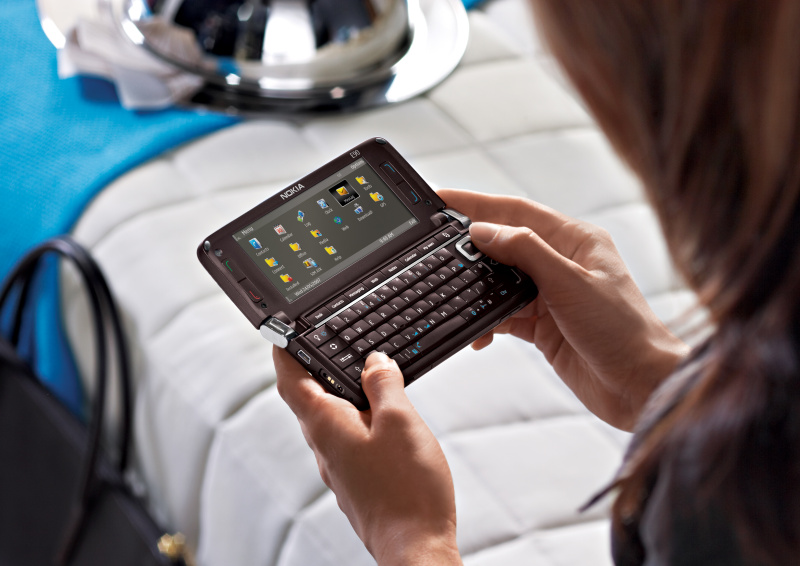
The Nokia E90 looks interesting as an all-in-one (UMPC) device. Rather expensive ($1600NZ), and heavy (232gm) but you don't need a Bluetooth keyboard or external screen (builtin 800x365 resolution!).
http://www.nokia.co.nz/link?cid=PLAIN_TEXT_742130
http://www.nokia.co.nz/link?cid=PLAIN_TEXT_742130
PicoProjector - mobile video projector coming of age!
Microvision are about to demo their tiny Pico Projector at CES.
The tiny battery powered projector is designed to work with mobile devices that have video out - e.g. N95, new PSP, iPod etc...

Microvision are also working on an embedded version - built into a cellphone!
Very cool.

The tiny battery powered projector is designed to work with mobile devices that have video out - e.g. N95, new PSP, iPod etc...
Microvision are also working on an embedded version - built into a cellphone!
Very cool.
Fring Updated
Fring has added AIM & Yahoo talk to its list of supported IM services. A great free application for virtually all mobile phones, supporting:
Fring describes itself as a VOIP application that provides:
fring is compatible with Symbian 8, 9.1, 9.2, Windows Mobile 5 & 6 and UIQ handsets.
- Skype
- MSN
- AIM
- ICQ
- Yahoo Talk
- SIP
- Google Talk
Fring describes itself as a VOIP application that provides:
- Presence
- Free Calls
- Live Chat
fring is compatible with Symbian 8, 9.1, 9.2, Windows Mobile 5 & 6 and UIQ handsets.
Thursday, December 20, 2007
JISC Online Conference proceedings
The JISC online conference proceedings on institutional innovation are now available online: HERE.
Check out the summary of Giedre & my presentation: Cochrane, T., & Kligyte, G. (2007, 11-14 June). Dummies2delight: Using communities of practice to develop educational technology literacy in tertiary academics. Paper presented at the JISC online conference: Innovating eLearning, JISC online conference. Pages 36-38.
We discussed Communities of Practice for professional development, and the use of web2 technologies. JISCebookone2007.pdf
Check out the summary of Giedre & my presentation: Cochrane, T., & Kligyte, G. (2007, 11-14 June). Dummies2delight: Using communities of practice to develop educational technology literacy in tertiary academics. Paper presented at the JISC online conference: Innovating eLearning, JISC online conference. Pages 36-38.
We discussed Communities of Practice for professional development, and the use of web2 technologies. JISCebookone2007.pdf
Friday, December 14, 2007
TruTap
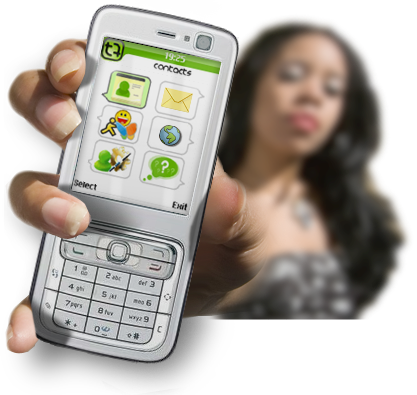
http://trutap.com is a mobile Java client for social networking. It includes:
It's interface is somewhat clunky - no where near as smooth & mature as Shozu. Worth keeping an eye on.
- Instant Messaging - MSN, AOL, Yahoo, ICQ
- Messaging (cf email)
- Blog Posting - Blogger, Flickr, etc...
It's interface is somewhat clunky - no where near as smooth & mature as Shozu. Worth keeping an eye on.
Friday, December 07, 2007
7 things you should know about Skype: Educause
Another short paper in the Educause 7 Things series:
Abstract:
Skype is a voice over Internet protocol (VoIP) application that lets users make free phone calls between Skype-equipped computers and inexpensive calls between Skype computers and landline or cell phones. Skype functions on a P2P model rather than as a centralized application, and it offers features such as voicemail, call forwarding, conference calling, and video chat. In most circumstances, Skype provides access to voice and video communication for a fraction of what other options cost. It allows more frequent contact between colleagues, collaborators, and friends and permits connections with those not likely to be in conventional phone systems.
Download PDF.
Abstract:
Skype is a voice over Internet protocol (VoIP) application that lets users make free phone calls between Skype-equipped computers and inexpensive calls between Skype computers and landline or cell phones. Skype functions on a P2P model rather than as a centralized application, and it offers features such as voicemail, call forwarding, conference calling, and video chat. In most circumstances, Skype provides access to voice and video communication for a fraction of what other options cost. It allows more frequent contact between colleagues, collaborators, and friends and permits connections with those not likely to be in conventional phone systems.
Download PDF.
Social Network Sites: History & Scholarship
An interesting journal article:
Abstract
"Social network sites (SNSs) are increasingly attracting the attention of academic and industry researchers intrigued by their affordances and reach. This special theme section of the Journal of Computer-Mediated Communication brings together scholarship on these emergent phenomena. In this introductory article, we describe features of SNSs and propose a comprehensive definition. We then present one perspective on the history of such sites, discussing key changes and developments. After briefly summarizing existing scholarship concerning SNSs, we discuss the articles in this special section and conclude with considerations for future research."
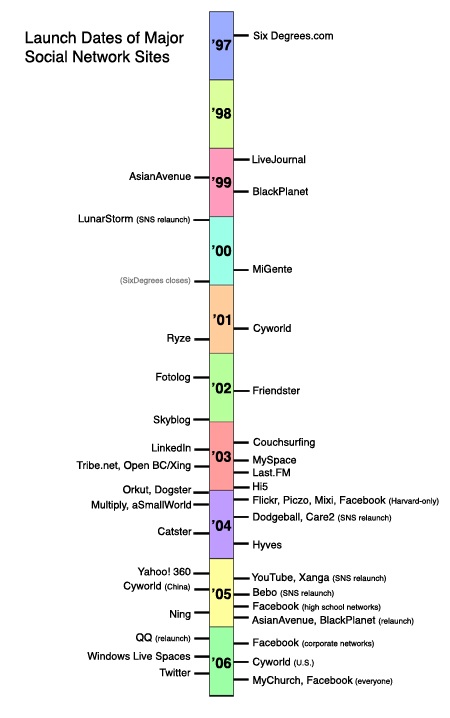
The paper includes a timeline of Social Network Sites (SNS's)
Abstract
"Social network sites (SNSs) are increasingly attracting the attention of academic and industry researchers intrigued by their affordances and reach. This special theme section of the Journal of Computer-Mediated Communication brings together scholarship on these emergent phenomena. In this introductory article, we describe features of SNSs and propose a comprehensive definition. We then present one perspective on the history of such sites, discussing key changes and developments. After briefly summarizing existing scholarship concerning SNSs, we discuss the articles in this special section and conclude with considerations for future research."
The paper includes a timeline of Social Network Sites (SNS's)
Wednesday, December 05, 2007
iSkoot
iSkoot is a free Skype client for a wide range of mobile phones!

iSkoot puts Skype on
your mobile phone.
Now offered on the P1i from Sony Ericsson!
FEATURES AND BENEFITS
1. Easy installation:**
Option 1: iSkoot can send you a link to our free software in an email or SMS text message–just request it when you register!
Option 2: Download to your PC and transfer to your handset using its Bluetooth® or infrared port or your USB cable.
2. Simple, intuitive user interface
• Click to call a Skype contact
• Click to chat with a Skype contact
• Make inexpensive international calls using SkypeOut
• Receive Skype calls on your mobile
• Manage your online presence
• Check the online status of your friends, family and colleagues
You can even create a new Skype Account, right on your mobile handset
3. High quality audio for all your calls
4. Optimized software for each supported handset type
5. iSkoot's network coverage is now worldwide
6. On-line documentation
7. Free user support
iSkoot puts Skype on
your mobile phone.
Now offered on the P1i from Sony Ericsson!
FEATURES AND BENEFITS
1. Easy installation:**
Option 1: iSkoot can send you a link to our free software in an email or SMS text message–just request it when you register!
Option 2: Download to your PC and transfer to your handset using its Bluetooth® or infrared port or your USB cable.
2. Simple, intuitive user interface
• Click to call a Skype contact
• Click to chat with a Skype contact
• Make inexpensive international calls using SkypeOut
• Receive Skype calls on your mobile
• Manage your online presence
• Check the online status of your friends, family and colleagues
You can even create a new Skype Account, right on your mobile handset
3. High quality audio for all your calls
4. Optimized software for each supported handset type
5. iSkoot's network coverage is now worldwide
6. On-line documentation
7. Free user support


Subscribe to:
Posts (Atom)


 Posts
Posts

