Dummies2Delight Thom
Introductory session at Cafe Kreem for Dummies to Delight 2006
Thursday, August 17, 2006


Pictures - AOL Mobile
Pictures - AOL Mobile: "AOL® Pictures You’ve Got Pictures® Service
AOL Pictures is a new service that turns your web-enabled phone into a photo album so you can share and enjoy your online pictures, anytime, anywhere. You can view your favorite pictures, show them to your friends, and even download them for use as mobile phone screen savers or wallpapers*.
Accessing AOL Pictures
You will need a web-enabled phone with a WAP2 browser and wireless data plan to access the AOL Pictures service. Most phones sold within the last few years have a WAP2 browser. You may want to verify with your mobile phone carrier that your phone is WAP2 compatible, and that web access is enabled.
How to Get AOL Pictures
You can access AOL Pictures via the AOL Mobile Portal by entering the URL http://mobile.aol.com "
Mobile AIM - AOL Mobile
AIM on a mobile phone just got a whole lot easier!
Find Mobile AIM - AOL Mobile: "Most cellular phones provide multiple ways to use the Mobile AIM service.
Depending on your wireless carrier%u2019s capabilities, there are three different methods to access the Mobile AIM service.Start now! Use the Mobile Dashboard on the right to find out exactly how you can access the Mobile AIM service on your particular carrier and phone model.
1. The Mobile AIM service through text messaging
Easy to setup, now you can elect to have your IMs forwarded to your phone as text messages. Click here to learn more.
2. The Mobile AIM service through mobile web browser
Many wireless carriers provide access to the Mobile AIM service using the phone's mobile web browser. Click here to learn more.
3. The Mobile AIM service through software
Mobile AIM software provides the greatest functionality on your phone. Click to learn more about Installed or Downloadable Mobile AIM."
(Via AIM.)
Tuesday, August 15, 2006
Opera Mini Thoughts
I have been impressed with Opera mini running on my Palm TX and my SonyEricsson T630 phone. It appears other people have been as well - here's a quote from http://tamspalm.tamoggemon.com/
"Overall, Opera Mini 2 worked ok on my Palm Tungsten T3. The browser obviously is different from Web Pro and Blazer, as it doesnt even attempt to recreate the original page layout - this reduces data transfer volume and makes browsing hell fast(almost as fast as on my desktop). 5way control works really well too - no need to use the stylus when surfing! If you are on a GPRS contract, look at this free browser - it could save you money!"
"Overall, Opera Mini 2 worked ok on my Palm Tungsten T3. The browser obviously is different from Web Pro and Blazer, as it doesnt even attempt to recreate the original page layout - this reduces data transfer volume and makes browsing hell fast(almost as fast as on my desktop). 5way control works really well too - no need to use the stylus when surfing! If you are on a GPRS contract, look at this free browser - it could save you money!"
Tuesday, August 08, 2006
SONY MyLo
The new SONY MyLo WiFi communicator is an interesting WMD. It's main advantage over the PSP is the inclusion of a slide-out keyboard for way faster text entry!. Still, I'm not sure that it has enough features to capture a large market share - the prob with WiFi only wireless is limited connectivity - a 3G smartphone wins on connectivity, and there's no Bluetooth to connect via a cellphone. There is USB2, but it appears to be oriented to file synchronizing with a PC, and with only Memory Stick storage, its not going to replace a full iPod for your music & video library. Web browsing is via a 320x240 screen using Opera - so the same web experience as a Palm or PPC device. Would have been nice to have a PSP or Nokia 770 resolution screen :-( . I guess they are targeting an alternative 'cellphone' market (small enough to pocket & not look silly when holding it to your ear!). They've also missed the Blog & RSS integration - maybe in an update?... One to watch for possibilities...
Large Flash/video overview here.
"Speaking of unholy abominations, Sony decided to take some design tips from their own PSP, functionality from the OQO, usage scenarios from Nokia's 770 (and a wee dash dash of inspiration from Ixi's OGO), and mash it up all together into a single device: the mylo. The name refers to "my life online," ahem, which we assume probably has a little something to do with the Sony's old school MYLO / My Life Online, a wireless service Sony launched launched at PC Expo 2001 "to offer mobile users an original and personalized way to access information and entertainment content for work and play." (Yeah, that's specific.) This blast from the past now takes shape as a $350 WiFi-centric handheld features a slide-up 2.4-inch screen, VoIP capabilities via Skype, web access, media playback capabilities, 1GB flash, and a Memory Stick slot" http://www.engadget.com/2006/08/08/sony-launches-mylo/

Large Flash/video overview here.
"Speaking of unholy abominations, Sony decided to take some design tips from their own PSP, functionality from the OQO, usage scenarios from Nokia's 770 (and a wee dash dash of inspiration from Ixi's OGO), and mash it up all together into a single device: the mylo. The name refers to "my life online," ahem, which we assume probably has a little something to do with the Sony's old school MYLO / My Life Online, a wireless service Sony launched launched at PC Expo 2001 "to offer mobile users an original and personalized way to access information and entertainment content for work and play." (Yeah, that's specific.) This blast from the past now takes shape as a $350 WiFi-centric handheld features a slide-up 2.4-inch screen, VoIP capabilities via Skype, web access, media playback capabilities, 1GB flash, and a Memory Stick slot" http://www.engadget.com/2006/08/08/sony-launches-mylo/
Monday, August 07, 2006
MyTunesRSS
I'm impressed! A free platform independent app for streaming iTunes libraries across a network or the internet to any device that supports RSS feeds! I got it working without a problem streaming iTunes from my Powerbook to my PSP. The only 'hard' bit was turning off the software firewall on port 8080 to allow the streaming traffic thru.
http://www.codewave.de/products/mytunesrss/
" MyTunesRSS is an application for accessing your iTunes library from any computer connected through a network. You can browse and search your library with any browser, use existing playlists or create new ones. From all this data you can create RSS feeds or M3U playlists in your browser and use them with appropriate programs. So you can play your iTunes tracks on today's clients like the Playstation Portable.
MyTunesRSS is a GUI for configuring and starting a server and a web application. When the server is running, you can access the web application with a browser. The web application is password protected, so only you can access it.
You can browse your library by album or artist and you can search for tracks. Besides the exisiting iTunes playlists you can create new ones from the browser. You can create RSS feeds or M3U playlists from any album, tracks of an artist or a playlist. You can also simply download tracks, e.g. for getting them on your Playstation Portable without a USB link. Applications like VLC for example can also get streams from videos in your library.
Since MyTunesRSS is pure Java, you can run it on any platform supporting Java 1.5 and iTunes.
You can download MyTunesRSS for free and use it as long as you wish."
http://www.codewave.de/products/mytunesrss/
" MyTunesRSS is an application for accessing your iTunes library from any computer connected through a network. You can browse and search your library with any browser, use existing playlists or create new ones. From all this data you can create RSS feeds or M3U playlists in your browser and use them with appropriate programs. So you can play your iTunes tracks on today's clients like the Playstation Portable.
MyTunesRSS is a GUI for configuring and starting a server and a web application. When the server is running, you can access the web application with a browser. The web application is password protected, so only you can access it.
You can browse your library by album or artist and you can search for tracks. Besides the exisiting iTunes playlists you can create new ones from the browser. You can create RSS feeds or M3U playlists from any album, tracks of an artist or a playlist. You can also simply download tracks, e.g. for getting them on your Playstation Portable without a USB link. Applications like VLC for example can also get streams from videos in your library.
Since MyTunesRSS is pure Java, you can run it on any platform supporting Java 1.5 and iTunes.
You can download MyTunesRSS for free and use it as long as you wish."
SMS Post
Letmeparty.com test?The last SMS post I sent disappeared into the ether - so just testing settings again to make sure this post gets thru!
Java Emulator & development for Sony Ericsson cellphones
http://developer.sonyericsson.com/site/global/docstools/java/p_java.jsp
Available as free download, the SDK runs in WinXP only, although there is a Mac version of NetBeans (haven't got it working with the SE emulation yet).
"Sony Ericsson SDK 2.2.4 for the Java(TM) ME Platform (73.5 MB) June
26, 2006
This suite of Java ME tools supports Java MIDP 1.0, MIDP 2.0, Java 3D API incl. Javadoc
for the Sony Ericsson handsets. The SDK supports Java Micro3D (Mascot Capsule Ver 3
and JSR 184) emulation and includes all the necessary tools to support On Device
Debugging for your applications."
After installing the app (need to download the Java runtime for WinXP first), choose a phone model from the list, and then you can load Java apps (need both the .jad and .jar files for the app to be recognised). The SDK then becomes a way of presenting Cellphone apps to an audience. Supports my old SE T630!
Next I'm hoping to upgrade to either an M600 or K610. The M600 uses Symbian, and should let me run the LapLink remote software for presentations on MacOSX! (laplink for Symbian uses a Java app).
Sunday, August 06, 2006
GOOGLE PICASA
Google has updated its free image editing software Picasa to provide online image hosting features at http://picasaweb.google.com, similar to www.flickr.com.
Now you can not only upload photos to Blogger.com from Picasa, but also create a full-blown online image library as well. Picasaweb supports RSS and viewer comments. Its also available for Mac via a downloadable image uploader app for Mac OSX, or plugin for iPhoto (very similar to the Flickr for iPhoto script that's been around fro sometime).
You need a GMail account to signup for picasaweb. Googles now allowing GMail signups via cellphone codes.
Picasa - one of the best PC apps I've seen recently!
View my Picasaweb at http://picasaweb.google.com/thomcochrane/
Now you can not only upload photos to Blogger.com from Picasa, but also create a full-blown online image library as well. Picasaweb supports RSS and viewer comments. Its also available for Mac via a downloadable image uploader app for Mac OSX, or plugin for iPhoto (very similar to the Flickr for iPhoto script that's been around fro sometime).
You need a GMail account to signup for picasaweb. Googles now allowing GMail signups via cellphone codes.
Picasa - one of the best PC apps I've seen recently!
View my Picasaweb at http://picasaweb.google.com/thomcochrane/
Thursday, August 03, 2006
Smart Mobs: Blackboard wins patent on e-learning
Smart Mobs: Blackboard wins patent on e-learning: "Blackboard wins patent on e-learning
Always-On Panopticon...or Cooperation Amplifier, Technologies of Cooperation
August 02, 2006
by Howard Rheingold
Stephen Downes, a widely followed and respected blogger who writes about educational technology issues, has posted a long and comprehensive review of the outrageous action taken by Blackboard, a company that sells (rather shoddy in my opinion) proprietary course management software. One of the reasons I consider the Blackboard software shoddy is the message-board module, which positively repels usage. Now, their patents might threaten the growing development of open source courseware. Blackboard's actions are shameful, greedy, bogus, and have the potential for retarding the development of online learning throughout the world -- especially among those who don't have the money to pay outrageous licensing fees.
As I commented earlier today, it was like poking a stick into an anthill. The Blackboard patent and subsequent action has prompted a furious reaction, one they must have anticipated (which is probably at least part of the reason for waiting from January 17, when the patent, to July 26, to make the announcement).
'In addition, patents corresponding with the U.S. patent have been issued in Australia, New Zealand and Singapore and are pending in the European Union, China, Japan, Canada, India, Israel, Mexico, South Korea, Hong Kong and Brazil.'
To say that the reaction was negative would be to understate the matter considerably. Donald Clark writes, 'I'd start selling Blackboard stock NOW!' Leonard Low writes, 'Blackboard's claim of patent is both outrageous and repugnant.' Dave Cormier writes, 'In the span of a couple of weeks the educational landscape we've all come to know and care about has taken an awful beating. It seems that DOPA is taking away our open ed-web and blackweb is taking away our walled gardens.' John P. Mayer writes, 'How can you access the 'full power of the Internet' [as Blackboard says] if you are dealing with litigation fears and limitations of choice as a result?' Wesley Fryer exclaims 'Crazy!' and asks, 'Were the people in the US Patent Office really thinking clearly when they have this supposed 'patent' to Blackboard?'"
(Via http://www.smartmobs.com.)
Tuesday, August 01, 2006
mobileGlu | your mobile glue
mobileGlu | your mobile glue: "Do you ever wish you had access to your life on the web when you were on the move ?
mobileGlu brings together your life online into one place on your mobile:
mobileGlu will pull the data from your life online and optimise it for your mobile device automatically
mobileGlu will allow you to post to your online services from your mobile
mobileGlu currently supports del.icio.us, Flickr, moblogUK, upcoming.org, Blogger, and RSS feeds with more being added as time goes on"
Saturday, July 29, 2006
Aptana: The Web IDE
Aptana: The Web IDE
A free Web2 app for building interactive web pages - looks promising, will have to download & give it a try!
A free Web2 app for building interactive web pages - looks promising, will have to download & give it a try!
Thursday, July 27, 2006
Thursday, July 20, 2006
Smart Mobs: Mojungle let's you Share your life
Smart Mobs: Mojungle let's you Share your life: "Use your mobile phone to begin recording your life. Mojungle allows you to save and share your memories. On SMS Text News Ewan MacLeod reviews Mojungle.com the new service that enables you to text photos and videos to the web.
One of the entrepreneurs is Ari Mir. Ari wrote Smartmobs the following:
' have been working on a research project focused on developing mobile social software. We recently released our first product, a personal media player powered by your mobile device. I like to think of it as a 'true' live journal. Please visit it at: http://www.mojungle.com'."
(Via SmartMobs.)
WOW - this is cool! MoJungle works on any phone that can email of SMS pics, video, or audio, hosting your media on the MoJungle web server, and creating the html code you need to embed the MoJungle 'player' into your own web page/Blog etc...
Nice to see that apparently its underpinned by some research into mobile social software.
Saturday, July 15, 2006
Friday, July 14, 2006


Monday, July 10, 2006
((litefeeds)) mobile post
click Full Txt to read more or Clip It to view later...
link: SMS Post
posted: www.litefeeds.com
Thursday, July 06, 2006
SMS Post
Testing SMS Blog posting from cellphone via letmeparty.com to both blogger.com and Elgg blogs. Letmeparty.com associates multiple Blogs with a single cellphone#
Blogging to Elgg server using uBlog on PalmTX
Posting from uBlog on PalmTXIt works!!! - first I had to delete the uBlogbuffer file from the PalmTX internal memory (using Filez), as it was causing the TX to reset everytime I attempted to post to Elgg. Now it works great. Will try with multiple Blogs enabled now.
Wednesday, July 05, 2006
Moodle1.6 & Elgg install on MacOSX
Installed & configured Moodle1.6 & Elgg on PPC & Intel Laptops, and G5 Test server (http://203.110.5.250/moodle/ or http://203.110.5.250/elgg/)
Quick Process:
1. Update/install OSX 10.4
2. Update/install PHP, Apache2 (with mod_rewrite), MySQL
a. Use WebServerXKit for ppc – simplest
b. Use PHP & MySQL installers for Intel
c. Download PhpMyAdmin or MySQL Administrator
d. Check versions by creating phpinfo.php file in webdirectory root & opening.
3. Modify php.ini & httpd.conf files
a. Set file upload & post sizes in php.ini
b. Set server url, AllowOverride All in Apache httpd.conf
4. Create database folders for Moodle, elgg, outside main webserver Documents folder – set access to read/write & to moodle & elgg folders
5. Create databases for moodle & elgg using phpmyadmin’
6. Create default users for both databases, assigning all privileges
7. Configure Moodle by pointing browser to url http://127.0.0.1/moodle/
8. Configure Elgg by manually editing/creating config.php (copy from config-dist.php)
9. Use Tinkertool to check .htaccess file is in elgg root directory
10. Run http://127.0.0.1/elgg/ to setup
11. Integrate Moodle & Elgg.
a. NB – there is a typo in the setup instructions, ‘confirmurl’ in elgg config.php should end with /confirm.php – NOT /config.php!!!
12. Make sure a Cron job is working!
4th time is much quicker ;-) !!!
Quick Process:
1. Update/install OSX 10.4
2. Update/install PHP, Apache2 (with mod_rewrite), MySQL
a. Use WebServerXKit for ppc – simplest
b. Use PHP & MySQL installers for Intel
c. Download PhpMyAdmin or MySQL Administrator
d. Check versions by creating phpinfo.php file in webdirectory root & opening.
3. Modify php.ini & httpd.conf files
a. Set file upload & post sizes in php.ini
b. Set server url, AllowOverride All in Apache httpd.conf
4. Create database folders for Moodle, elgg, outside main webserver Documents folder – set access to read/write & to moodle & elgg folders
5. Create databases for moodle & elgg using phpmyadmin’
6. Create default users for both databases, assigning all privileges
7. Configure Moodle by pointing browser to url http://127.0.0.1/moodle/
8. Configure Elgg by manually editing/creating config.php (copy from config-dist.php)
9. Use Tinkertool to check .htaccess file is in elgg root directory
10. Run http://127.0.0.1/elgg/ to setup
11. Integrate Moodle & Elgg.
a. NB – there is a typo in the setup instructions, ‘confirmurl’ in elgg config.php should end with /confirm.php – NOT /config.php!!!
12. Make sure a Cron job is working!
4th time is much quicker ;-) !!!
Monday, July 03, 2006
elgg - opensource eportfolio
Elgg looks promising:
Blog feature supports external editors via RPC-XML (Metaweblog)
Features:
Add to this integration with Moodle & it looks like a real WINNER!!!
Blog feature supports external editors via RPC-XML (Metaweblog)
Features:
- • Weblog
- • Social Networking
- • File repsotitory
- • Access Control
- • Tagging
- • Customization
- • XML-RPC
- • Community Building
- • Wiki (integrates MediaWiki!)
- • Profile Data
- • Syndication
- • Podcasting
Add to this integration with Moodle & it looks like a real WINNER!!!
Friday, June 30, 2006
Greg Reinacker's Weblog - NewsGator platform roadmap - Part II (a look forward)
Greg Reinacker's Weblog - NewsGator platform roadmap - Part II (a look forward): "NewsGator Mobile
As I mentioned, we released a beta of NewsGator Mobile for Windows mobile a few weeks ago. In the next month or two, that will go gold, and we'll also release a beta of NewsGator Mobile for java-enabled phones. If you're using a palm-based Treo, a Blackberry, or any of a number of other devices, you'll get a similar rich experience as Windows mobile users.
Moving forward, these kinds of applications is where it's at. Truly delivering information at your fingertips - but this time, it's not the information that MSN or Yahoo! has selected for you - it's information you've subscribed to yourself, or information you've otherwise indicated an interest in.
What we're focused on here is user experience. Folks don't spend hours reading on their mobile phones - the key is to provide the right information, at the right time, in a way that's usable. And this includes audio and video content as well - on certain devices, this can be a great experience, and is becoming more and more important, and we're going to bring that to market. One of the mobile applications we acquired along with SmartRead was a mobile podcasting client; expect to see that technology rolled into our mobile applications."
As I mentioned, we released a beta of NewsGator Mobile for Windows mobile a few weeks ago. In the next month or two, that will go gold, and we'll also release a beta of NewsGator Mobile for java-enabled phones. If you're using a palm-based Treo, a Blackberry, or any of a number of other devices, you'll get a similar rich experience as Windows mobile users.
Moving forward, these kinds of applications is where it's at. Truly delivering information at your fingertips - but this time, it's not the information that MSN or Yahoo! has selected for you - it's information you've subscribed to yourself, or information you've otherwise indicated an interest in.
What we're focused on here is user experience. Folks don't spend hours reading on their mobile phones - the key is to provide the right information, at the right time, in a way that's usable. And this includes audio and video content as well - on certain devices, this can be a great experience, and is becoming more and more important, and we're going to bring that to market. One of the mobile applications we acquired along with SmartRead was a mobile podcasting client; expect to see that technology rolled into our mobile applications."
MOBISPINE
http://www.mobispine.com/Support/FAQ.do
Mobispine is a FREE service that provides very cost-effective Instant Messaging & Blogging facilitites for mobile phones.
These services are available between Mobispine users - it does not use standard MSN or AIM, or Blogger etc...
To see a list of supported cellphones, check http://www.mobispine.com/Support/SupportedPhones.do
Edublogs.org
A recent FREE blog service available for educational usage is EDUBLOGS.ORG
What makes edublogs.org different from, for example, Blogger is that we’re dedicated to educational professionals, we’re nice and small (by blog provider standards), we’re aiming to provide more and more freely available (and ad free!) emerging online technologies for your use… and we’ve got a much better blogging tool at our disposal :)
Check them out!
Tuesday, June 27, 2006
Blogger & Moodle on Cellphone
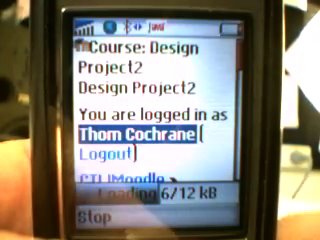
Moodle on Sonyericsson T630 via Opera Mini
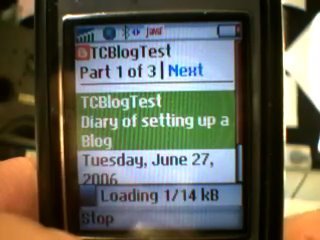
Blogger on Sonyericsson T630 via Opera Mini
Opera Mini 2.0
Jamie Lendino of PC Magazine has done a very nice review of Opera Mini 2.0.

Many cell phones come with preinstalled WAP browsers that (to be diplomatic) fall short of the mark when surfing the Web. Opera aims to change that with Opera Mini 2.0, a Java-based mobile Web browser. According to Opera, you can use it on just about any phone that has been made in the past five years, provided you have an appropriate data plan.
There are two ways to get Opera Mini 2.0: Either go to http://mini.opera.com from your phone's WAP browser, where you can click a link to download it, or send an SMS message to 96077. In the latter case you'll receive a text message back with the tiny applet attached. Once you download and install Opera Mini 2.0 and place a check mark in the end-user license agreement box, you're all set to go. For this review I tested Opera Mini 2.0 on a Motorola RAZR V3.
Compared with the RAZR's built-in WAP browser, surfing the Web with Opera was a dream. Sites that wouldn't open at all with the WAP browser, or would open to display only part of the page, worked beautifully under Opera Mini. The formatting wouldn't always impress a Web designer, but I was able to see all the important text and links in nearly all test cases. I read news, caught up on blogs, and ran Google and Wikipedia searches without a hitch. On some pages (such as The New York Times), I had to scroll through a site's navigation bar before getting to the main text, which was inconvenient.
"
(Via PalmAddicts.)
Opera Mini
I've just downloaded and installed Opera Mini onto my Sony Ericsson T630 cellphone - I'm surprised at how much mileage I can get out of Java applications on this 'old' phone!
Opera Mini works great - better than I imagined, and its FREE!
There's a nice Java demo/simulator of Opera Mini working on a cellphone here
The only shame is that there is no Opera for Palm OS :-(
Opera Mini works great - better than I imagined, and its FREE!
There's a nice Java demo/simulator of Opera Mini working on a cellphone here
The only shame is that there is no Opera for Palm OS :-(
Monday, June 26, 2006
WMD Trial Focus Group1
Today our first Wireless Mobile Device trial finished at Unitec, concluding with a focus group of students. The feedback was very useful, even though the trial could hardly be called a 'succcess' in terms of integrating technology into tertiary education. There are a lot of aspects that could be done better next time, and a few surprizes as well.
The biggest surprize was the lack of technology skills of the 3rd year Product Design students - in particular their lack of understanding of RSS and inability to setup
RSS subscriptions from their Blogger accounts.
In retrospect, the main issues are:
1. Not enough preparation and support for the students - a two hour intro to the concepts and technology at the start of the project was 'too little, too late'!!! - we need regular sessions, I would suggest at least 4 x 2Hour, overviewing the use of the technology, PRIOR to the start of the project.
2. Lack of Tutor engagement/integration with the technology - i.e. no modeling of Tutor Blogs, no comments from Tutors on student or group Blogs, no use of WMDs in delivery of the course by Tutors.
3. A lack of student connectivity - a surprizing number of students still have NO Internet access at home, the limited WiFi connectivity options at Unitec (meaning students were always 'face-to-face' when they were in WiFi range anyway!) .
4. We complicated the Blog process too much by requiring students to engage with 3 different Blogs (individual, group, and public).
Most of the other issues are merely technical that can be easilly overcome. More details to follow...
The biggest surprize was the lack of technology skills of the 3rd year Product Design students - in particular their lack of understanding of RSS and inability to setup
RSS subscriptions from their Blogger accounts.
In retrospect, the main issues are:
1. Not enough preparation and support for the students - a two hour intro to the concepts and technology at the start of the project was 'too little, too late'!!! - we need regular sessions, I would suggest at least 4 x 2Hour, overviewing the use of the technology, PRIOR to the start of the project.
2. Lack of Tutor engagement/integration with the technology - i.e. no modeling of Tutor Blogs, no comments from Tutors on student or group Blogs, no use of WMDs in delivery of the course by Tutors.
3. A lack of student connectivity - a surprizing number of students still have NO Internet access at home, the limited WiFi connectivity options at Unitec (meaning students were always 'face-to-face' when they were in WiFi range anyway!) .
4. We complicated the Blog process too much by requiring students to engage with 3 different Blogs (individual, group, and public).
Most of the other issues are merely technical that can be easilly overcome. More details to follow...
Saturday, June 17, 2006
Tuesday, June 13, 2006
 Hi from Havelock North
Friday, June 09, 2006
Blogging from Flock 0.7

Blogger was having 'issues' this morning - so I couldn't get the new version of Flock setup with my Blog. Looks like its all business as usual again now tho :-) Yay!
Blogged with Flock
Flock v0.7
My favourite Social Software enabled web browser FLOCK has just been updated. A few changes - some good, others I prefer the 'old' styling of v0.5
The MyNews option is a reasonable RSS reader, but I think the WizzRSS extension is more fully featured.
I preferred the old style Blog editor & Flickr toolbar integrated into the main window of Flock - now they are separate popup windows. I suppose you can m,ultitask better that way - will play & see what I think.
The setup wizzard is rather buggy too.
The MyNews option is a reasonable RSS reader, but I think the WizzRSS extension is more fully featured.
I preferred the old style Blog editor & Flickr toolbar integrated into the main window of Flock - now they are separate popup windows. I suppose you can m,ultitask better that way - will play & see what I think.
The setup wizzard is rather buggy too.
Thursday, June 01, 2006
Death of a LifeDrive!?
My Lifedrive is no longer holding its charge!!! ARRRGGGGGGGGHHHHHHH!
Time for a new battery - bugga.
Time for a new battery - bugga.
Java Blogging & RSS options
The litefeeds Java app works on any Java capable device - including Palm, and my 'ancient' SonyEricsson T630 mobile phone! Well I wish I knew about this ages ago! It was relatively easy to install litefeeds on my T630 - just downloaded jar files from litefeeds.com, then 'sent file' via bluetooth file transfer app on my Mac. Now I can blog & read RSS feeds from my mobile! - of course the data charges are horrendous :-( ... So my mobile blogging options now include:
1. litefeeds.com synchronizing with the litefeeds java client (very similar to newsgator & marsedit synchronizing on my Mac!)
2. Java RSS & blogging apps - e.g. mreader
3. SMS blogging via letmeparty.com (probably the cheapest option - but no RSS reading option)
So now I don't have to wait for the M600 to start mobile blogging after all!
1. litefeeds.com synchronizing with the litefeeds java client (very similar to newsgator & marsedit synchronizing on my Mac!)
2. Java RSS & blogging apps - e.g. mreader
3. SMS blogging via letmeparty.com (probably the cheapest option - but no RSS reading option)
So now I don't have to wait for the M600 to start mobile blogging after all!
Wednesday, May 31, 2006
Google Picasa2 Picture Blogging!
 Cool - blogging pics from Google Picasa2 - a really cool free picture editor/slideshow/CD burning app! THis is better than Adobe Photoshop Elements!!!
Sunday, May 28, 2006
TUANZ Telecommunications Day
The TUANZ Telecommunications Day was very interesting!
Of particular interest was the stats on where NZ lies in broadband uptake in the OECD. Check out this powerpoint presentation.
ALSO - view the 'Telecon' add here ;-)
Of particular interest was the stats on where NZ lies in broadband uptake in the OECD. Check out this powerpoint presentation.
ALSO - view the 'Telecon' add here ;-)
Tuesday, May 23, 2006
Windows on MacBookPro
its true! - you can't successfully install WinXP with an SP1 disk on a MacBookPro and BootCamp :-(
However - I've managed to get WinXP booting, manually installed the ATI video drivers, ethernet and wireless networking drivers! So now I'm attempting to upgrade via the Net to SP2 and reinstall the Mac hardware drivers from the Boot Camp drivers CD - here's hoping! A full WinXPSP2 install disk retails for $645, so I'd rather not blow that much out of the budget without exhausting other possibilities first!
However - I've managed to get WinXP booting, manually installed the ATI video drivers, ethernet and wireless networking drivers! So now I'm attempting to upgrade via the Net to SP2 and reinstall the Mac hardware drivers from the Boot Camp drivers CD - here's hoping! A full WinXPSP2 install disk retails for $645, so I'd rather not blow that much out of the budget without exhausting other possibilities first!
Cheap Moodle Hosting
Check out http://www.siteground.com/ for a cheap solution for hosted Moodle sites. Also supports:
Mambo,
Joomla,
phpBB,
vBulletin,
Moodle,
phpNuke,
Drupal,
Typo3,
osCommerce,
Wordpress,
Mediawiki,
Dreamweaver
Mambo,
Joomla,
phpBB,
vBulletin,
Moodle,
phpNuke,
Drupal,
Typo3,
osCommerce,
Wordpress,
Mediawiki,
Dreamweaver
Friday, May 19, 2006
I'm creating a demo tutorial on how to setup Vagablog for posting to multiple Blogs on www.blogger.com
Using eZediaQTi to create an interactive QuickTime movie.
Using eZediaQTi to create an interactive QuickTime movie.
Wednesday, May 17, 2006
Palm Blogging Saga
Both uBlog and Plogit are crashing when setting up multiple Blogs under the same username in Blogger! :-(
It appears that VagaBlog may be the stablist (for multiple Blogs) of the freeware Blogging apps (although the least featured).
Might have to consider a commercial alternative if the freeware apps can't hack the pace!
Both uBlog and Plogit are crashing when setting up multiple Blogs under the same username in Blogger! :-(
It appears that VagaBlog may be the stablist (for multiple Blogs) of the freeware Blogging apps (although the least featured).
Might have to consider a commercial alternative if the freeware apps can't hack the pace!
Monday, May 15, 2006
Thursday, May 11, 2006
Tuesday, May 09, 2006
Saturday, May 06, 2006
IT control freaks
Well I discovered what was causing the slow external data rates to my Moodle Server - ITSC had assigned it a VERY LOW priority - i.e. limited its data rate to a trickle externally!!! - now why would anyone setup an Internet server and only want 1kbps up/downloads! - why did I have to request it be given 'normal' priority - arrrgghhh!!! What is wrong with how IT 'support' staff are 'educated'!!!!
At least its better now.
At least its better now.
Wednesday, May 03, 2006
Reflections on first day of Wireless PAlm trial
Some issues discovered/encountered so far:
1. uBlog crashing Palm due to corrupt preference files - solution: delete & reinstall (beam from working version) uBlog.
2. Verichat IM client not connecting - possible issue - only a single license, but multiple users attempting to logon? (or problem with proxy server settings & WiFi access point ports) - solution: Use Agile Messenger instead. NB check for stability on LifeDrive!
3. Blog settings in uBlog - should have screenshot showing setup settings - put on Moodle notes.
4. Similarly - should have screenshots of QuickNews feed setup - check developer site for manual snapshots.
5. Upload zipped version of Palm Desktop software for PC to Moodle for student download.
6. SLoooooooooow external connection rates of Moodle Server - solution: fix Moodle on XServes & reinstall Moodle.
7. missing 'add blocks' item in Moodle and send email to selected Participants. Solution: as above - reinstall Moodle, or create course on Laptop & import to server.
8. Slower students - solution: create mentors with IT literate students!
9. Forgot to mention Moodle shortcut on Palms via SharkLinks - solution: email note to students (also mention Agile Messanger solution for IM).
10. Time consuming - creating database of student Blogs, email, IM IDs - need a more automated approach!
Phew - enough for a start! Apart from that - the introduction of the project went quite well. - several students are already keen to purchase their own Palms!
1. uBlog crashing Palm due to corrupt preference files - solution: delete & reinstall (beam from working version) uBlog.
2. Verichat IM client not connecting - possible issue - only a single license, but multiple users attempting to logon? (or problem with proxy server settings & WiFi access point ports) - solution: Use Agile Messenger instead. NB check for stability on LifeDrive!
3. Blog settings in uBlog - should have screenshot showing setup settings - put on Moodle notes.
4. Similarly - should have screenshots of QuickNews feed setup - check developer site for manual snapshots.
5. Upload zipped version of Palm Desktop software for PC to Moodle for student download.
6. SLoooooooooow external connection rates of Moodle Server - solution: fix Moodle on XServes & reinstall Moodle.
7. missing 'add blocks' item in Moodle and send email to selected Participants. Solution: as above - reinstall Moodle, or create course on Laptop & import to server.
8. Slower students - solution: create mentors with IT literate students!
9. Forgot to mention Moodle shortcut on Palms via SharkLinks - solution: email note to students (also mention Agile Messanger solution for IM).
10. Time consuming - creating database of student Blogs, email, IM IDs - need a more automated approach!
Phew - enough for a start! Apart from that - the introduction of the project went quite well. - several students are already keen to purchase their own Palms!
Monday, April 24, 2006
Melbourne
Spent two days in chilly Melbourne so far! Getting to know the Monash Clayton campus today, finding the Library and other resources, logging onto the wireless network (somewhat more locked down than I'm used to!) and finding out about other resources (as well as meeting Bernard Holkner - my PHD supervisor, for the first time). So lots of new stuff, and plenty of reading to do over the next few days to keep me out of trouble!!!
Will post some pictures when I upload them off the camera L8R.
Will post some pictures when I upload them off the camera L8R.
Friday, April 21, 2006
Wednesday, April 19, 2006
Flock Flickr blog test

Of course it works (dragging Flickr content from Photo browser to Blog editor inside Flock) when I'm at home! Isn't that always the way with in-class demonstrations?

 embedded video projector
Monday, April 17, 2006
Embedded Mobile Projectors Just Around the Corner
Pocket PC Thoughts :: View topic - Embedded Mobile Projectors Just Around the Corner: "'A South Korean company developed a coin-size laser video projector module that can fit into portable gadgets such as mobile phones and digital cameras. Iljin Display [on] Thursday demonstrated various prototypes of mini-size projectors, which use its Single LCD Panel technology. Using the technology, users can project photos and video images on the wall from the built-in projector, making a seven-inch, full-color screen.'"
Palm OS 5 Tutorials - Atomic Learning, Inc.
Palm OS 5 Tutorials - Atomic Learning, Inc.: "Quicktime video tutorials of basic Palm OS functions"
(Via atomiclearning.)
Thursday, April 06, 2006
I received a VMC card & data plan yesterday - woohoo - 3G/GPRS data!
I've managed to setup both my Mac & PC laptops to connect with the PC card installed in either, and also shared over WiFi using a 3g to WiFi router from Linksys. Unfortunately the Linksys setup software is PC only - why don't they use a web client???
Also interesting - the Vodafone NZ website assumes everyone is a PC user - and has NO Mac support, or links to download the VMC software for Mac ( the bums). HOWEVER, the Vodafone UK website is MUCH more Mac friendly, and supplies a Mac download, which I've installed.
http://www.vodafonebusiness.co.uk/index.php?page=152
http://www.vodafonebusiness.co.uk/index.php?page=124
Come on Vodafone NZ - WAKE UP!
I thought I'd never see the day! Apple actually condoning booting Windows on an Intel Mac!!!
http://www.apple.com/macosx/bootcamp/
Tuesday, April 04, 2006
AOL Announces New Mobile Services
AOL Announces New Mobile Services: "America Online has announced new mobile information and location services, including a mobile browsing service that automatically adapts Web pages for mobile screens"
Cool - will have to check this out!
Monday, April 03, 2006
Mobile_Learning_Survey2.png
Results of last two questions in JISC online conference participants survey

JISC online conference
My first real experience of an online conference last week - the JISC online conference was fun, and a lot of discussion (especially re mobile learning) was generated. Hopefully contacts made will be kept!?
http://www.online-conference.co.uk/jisc/conference/
http://www.elearning.ac.uk/innovation
Monday, March 27, 2006
Experimenting with PSP
Having just received a PSP for evaluation on Friday - I've been putting it through its WiFi capability paces over the weekend, and signing on to the WPA encrypted WiFI network here at Unitec. So far I am pleasantly surprized. The PSP is quite easy to setup for WEP or WPA WiFi access, and the included (with software version 2.5+) web browser is rather nice. The RSS feed facility appears to currently only support streaming audio podcasts, but Sony are promising major updates to the PSPs RSS capabilities soon, and Flash playing compatibility too!
The biggest downfall is the clunkiness of text entry - which would make anything but the most rudimentary of Blog entries a chore. Hopefully someone will provide support for IR keyboard input (as there is no Bluetooth connectivity).
I'm also surprised at the number of 3rd party hacks available, and synchronizing software. My current favourite is PSPWare (for Mac & PC). More to come as I experiment...
The biggest downfall is the clunkiness of text entry - which would make anything but the most rudimentary of Blog entries a chore. Hopefully someone will provide support for IR keyboard input (as there is no Bluetooth connectivity).
I'm also surprised at the number of 3rd party hacks available, and synchronizing software. My current favourite is PSPWare (for Mac & PC). More to come as I experiment...
Saturday, March 18, 2006

Tuesday, March 14, 2006
Vodafone plans broadband service | BUSINESS | NEWS | tvnz.co.nz
Vodafone plans broadband service | BUSINESS | NEWS | tvnz.co.nz: "Vodafone says it may have the answer to New Zealand's internet speed woes with a plan to offer a third generation or 3G broadband service by the end of the year.
The company says the new service will be up to five times faster than its current second generation or 2G offering, with speeds of about 1.8 megabits per second, similar to that offered by rival Telecom.
But Vodafone says Nokia predicts those speeds could approach 14.4 megabits in a few years.
Vodafone New Zealand chief executive Russell Stanners says there's big growth potential for the new service which will provide broadband over the company's 3G mobile phone network.
Stanners believes Telecom's copper telephone wires into your home will become redundant and says broadband can be delivered effectively by mobile.
He admits Vodafone has been on the back foot in the mobile market against Telecom in recent quarters.
Meanwhile, Telecom says it plans to upgrade its third generation service next year with faster speeds than Vodafone of up to 2.4 megabits a second."
Well - its about time Vodafone & Telecom gave us realistic data pricing for 3G data - then it would be a viable alternative to ADSL broadband in NZ. Currently Vodafones 3G coverage is actually greater than Telecoms, even though Telecoms actual data speeds are higher, so I'd still go with Vodafone. Besides - what incentive does Telecom have in providing a good 3G service when they already monopolize and cramp ADSL broadband?!
(Via TVNZ News.)
Tuesday, March 07, 2006
Mobilicio.us
Mobilicio.us: "Social Bookmarking on Mobile devices!"
Cool - a free way to use your Delicious bookmarks on your Mobile device - and its FREE! The system uses mtag to indicate mobile bookmarks, and harnesses the power of Google Mobile. I'll have to give it a try soon!
Monday, March 06, 2006
Thursday, March 02, 2006
Wednesday, March 01, 2006
Macworld: News: Sony Ericsson unwraps 3.2-megapixel blogging phone
Macworld: News: Sony Ericsson unwraps 3.2-megapixel blogging phone: "Users of the new K800 and K790 phones that don%u2019t already have a blog can set one up over the phone. They%u2019ll be able to take photos with the camera and then easily add them to their blogs, according to Sony Ericsson. Blogger is an online tool hosted by Google that lets people create and manage blogs for free."
Apparently all of the next release of sonyericsson phones (including the K610) will include a blogger client!
Monday, February 27, 2006
Friday, February 24, 2006
SharkLinks
SharkLinks: "


(Via PalmAddicts.)
Thursday, February 16, 2006
Wednesday, February 15, 2006
SmartPhones 2006
Cellphones are getting 'smarter' and faster (3G) this year. Sonyericssons next range all feature 3G connectivity (K610i, M600, W950) in a much smaller format - more like their previous non 3G phones, rather than the 'clunky' first gen versions of last year! Nokia are featuring WLAN & cellphone integration, with auto switching of networks - very cool, and the Windows Mobile smartphones are packing on the features too (at a relatively high price still). Palm is still dragging the chain on integrating WiFi with their Treos though. There's plenty of educational potential in these emerging communication devices for the harnessing!
Wednesday, February 08, 2006
MERLOT Review
Well, after a 16 month wait (just as well I didn't rely on them for my Thesis write-up!) I have received my first review for a Learning Object submitted to MERLOT (Multimedia Educational Resource for Learning and Online Teaching).
Read it here.
While I only received a 3 out of 5 grade - my grade was actually 3.9 (they don't post points :-( ). I was let down by our poor server internet connection speed. Still, not bad for my first Learning Object - hopefully I get a better 'grading' for my other three Learning Objects (also submitted September 12 2004 - don't hold your breathe for an eta on the review!)
I did receive a 'nice' email to go with the release of the review though: "In summary, the MERLOT-Music Editorial Board wishes to acknowledge the valuable contributions Thomas Cochrane has made to advancing the teaching and learning within the discipline of music. This work is a model of the scholarship of teaching that can benefit faculty teaching and students learning around the world."

Read it here.
While I only received a 3 out of 5 grade - my grade was actually 3.9 (they don't post points :-( ). I was let down by our poor server internet connection speed. Still, not bad for my first Learning Object - hopefully I get a better 'grading' for my other three Learning Objects (also submitted September 12 2004 - don't hold your breathe for an eta on the review!)
I did receive a 'nice' email to go with the release of the review though: "In summary, the MERLOT-Music Editorial Board wishes to acknowledge the valuable contributions Thomas Cochrane has made to advancing the teaching and learning within the discipline of music. This work is a model of the scholarship of teaching that can benefit faculty teaching and students learning around the world."
Tuesday, January 31, 2006
Palm Wireless Keyboard & TX
There's an update on the Palm website for the universal Wireless Keyboard for the Palm TX (I wondered why I couldn't get it to connect with the TX!). Version 1.10 of the UWKbd driver works ONLY with the TX - now the TX recognizes the keyboard - YAY!
Wednesday, January 25, 2006
Opera Mini
The Opera Mini Web Browser is now freely available for download for multiple mobile devices, including most mobile phones and Palm OS!
iTunes U
Apple are taking PodCasting into the tertiary education field with iTunes U!. What a great idea/opportunity! I'll definitely have to give this a try. My brief experience with creating PodCasts and Screencasts demonstrated that they can be played back well on Palm PDAs as well as iPods, so opening up more opprotunities...
Thursday, January 19, 2006
NewOffice1
Here's a pic of my 'new' office - we've been relocated on Campus. A good opportunity for a clean out. Notice the PC laptop! - I've been experimenting with the 'dark side' (only to help those lesser mortals to escape the evil empire though :-) )

Friday, December 30, 2005
MarsEDIT updated
MarsEdit is my favourite Blog editor for MAC OSX. Its just been updated with some cool new features & bug fixes - check it out at the above link.
Friday, December 16, 2005
irrate about 'Podcasts'?
From my ASCILITE blog - a comment spurred my response:
Does a Podcast work on anything other than Apple software/hardware? Why are we calling them Podcasts? - iPod is not a genre, it is a brandname. The marketing guys must be laughing all the way to the bank. Do we soon require of students that they all buy the one brand of MP3 player to be able to view, just as many insitutions require of them Microsoft products? I'm curious because I own an MP3 player that isn't an iPod and I am of the opinion that iPod's are, on the whole, overpriced.
Anyone who has any experience is welcome to comment, I'm not being critical although it might sound I am, just interested in the crossplatformability of our stuff.
16/12/05 @ 15:56
Comment from: Thom Cochrane [Member] · http://ltxserver.unitec.ac.nz/mediawiki/index.php/WirelessPalms
A podcast will play on any device that supports the audio codec used when compressing it. The term was coined by a journalist, just over a year ago, in reference to the most popular mobile audio device at the time - the iPod. A Podcast is any pre-recorded audio file that is available for download as an enclosure associated with an RSS feed (So strictly speaking my 'Podcasts' aren't - as they have no RSS feed associated currently.) allowing the listener to subscribe to podcasts as they become available.
My Podcast is compressed using the AAC format, not mp3 (because it creates higher quality results with smaller file sizes - the mp3 format is actually very old). However most modern mobile devices are capable of playing back both mp3 and AAC format files. The AAC podcast and screencast (podcast with video) play back great on my Palm PDA, as well as an iPod, a Mac or a PC.
While I think the iPods are great - I do agree they are over-priced, however you are buying into a great software solution when you go the ipod route as well (for recording, editing and distribution...). I was surprised how easy it was to do this (my first Podcast!), and can see great educational potential.
16/12/05 @ 20:51
PS - the other reason I used AAC format rather than mp3 is to subvert our IT department! - they have packet-shaped mp3 downloads out of our network - to stop students files sharing mp3s, but AAC format files get through fine ;-)
16/12/05 @ 20:55
Comment from: Moggy [Member]
Does a Podcast work on anything other than Apple software/hardware? Why are we calling them Podcasts? - iPod is not a genre, it is a brandname. The marketing guys must be laughing all the way to the bank. Do we soon require of students that they all buy the one brand of MP3 player to be able to view, just as many insitutions require of them Microsoft products? I'm curious because I own an MP3 player that isn't an iPod and I am of the opinion that iPod's are, on the whole, overpriced.
Anyone who has any experience is welcome to comment, I'm not being critical although it might sound I am, just interested in the crossplatformability of our stuff.
16/12/05 @ 15:56
My Reply
Comment from: Thom Cochrane [Member] · http://ltxserver.unitec.ac.nz/mediawiki/index.php/WirelessPalms
A podcast will play on any device that supports the audio codec used when compressing it. The term was coined by a journalist, just over a year ago, in reference to the most popular mobile audio device at the time - the iPod. A Podcast is any pre-recorded audio file that is available for download as an enclosure associated with an RSS feed (So strictly speaking my 'Podcasts' aren't - as they have no RSS feed associated currently.) allowing the listener to subscribe to podcasts as they become available.
My Podcast is compressed using the AAC format, not mp3 (because it creates higher quality results with smaller file sizes - the mp3 format is actually very old). However most modern mobile devices are capable of playing back both mp3 and AAC format files. The AAC podcast and screencast (podcast with video) play back great on my Palm PDA, as well as an iPod, a Mac or a PC.
While I think the iPods are great - I do agree they are over-priced, however you are buying into a great software solution when you go the ipod route as well (for recording, editing and distribution...). I was surprised how easy it was to do this (my first Podcast!), and can see great educational potential.
16/12/05 @ 20:51
PS - the other reason I used AAC format rather than mp3 is to subvert our IT department! - they have packet-shaped mp3 downloads out of our network - to stop students files sharing mp3s, but AAC format files get through fine ;-)
16/12/05 @ 20:55
Wednesday, December 14, 2005
Podcasts & Screencasts on Palm
The Podcast and Screencast I created as QuickTime movies for ASCILITE play back surprizingly well on the Palm LifeDrive! - I think there is heaps of educational potential in Podcasting/screencasting for mobile devices!
LifeDrive Update 2
Its FINALLY here - the loonnnnnnnnnnnng anticipated LifeDrive update. (Go to Palm support website to download) I had no problems installing the update - though I did need to re-enter the serial number details for a couple of applications, and needed to reinstall Verichat. But - I haven't really noticed any major changes - although I did have my LifeDrive running pretty sweet after several months of bug busting!
Sunday, December 04, 2005
ASCILITE Presentation
Presentation PodCast
Download a PodCast (8.9MB, AAC, 20Minutes) of my presentation here. Will play in iTunes on Mac or PC, and iPod.
http://ltxserver.unitec.ac.nz/~thom/QuickTime/ACILITE_Podcast.m4a
Designed to complement my WIKI:
http://ltxserver.unitec.ac.nz/mediawiki/index.php/WirelessPalms
http://ltxserver.unitec.ac.nz/mediawiki/index.php/Main_Page
Also download my ScreenCast demoing several Palm wireless applications:
http://ltxserver.unitec.ac.nz/~thom/movies/PalmLifeDriveScreenCast_final.mov
Here's a screencast outlining the use of several wireless Palm applications - blogging, rss, IM, etc... The screencast is available in two formats:
1. 25MB QuickTime movie
2. 9.5MB video podcast for new video iPod (also a QuickTime movie)
http://ltxserver.unitec.ac.nz/~thom/movies/PalmLifeDriveScreenCast_final.m4v
Friday, December 02, 2005
Tuesday, November 29, 2005
WooHoo!
I've finally got PDAReach remote software for the Palm to work in Virtual PC on my powerbook!! I kept on having USB connection errors, but disabling the Palm transport background task in OSX, and copying a working virtual drive from my G5 to my Powerbook appears to have fixed the problem! As a bonus, i get back 2GB disk space, as my VPC image from my G5 is 2GB smaller than the one I originally had on my Powerbook. PS - I can't wait till next year for the MactEl Powerbooks - when they will be truely DUAL OS - booting systems - that will ROCK!!!Thursday, November 24, 2005
dotMac
I've been experimenting with dotMac recently - I haven't looked at dotMac accounts since you had to pay an annual subscription - it was great when it was free! Anyway, with the addition of group pages, and a boost to 1GB storage, plus the ability of WiFile Pro on a Palm to directly connect to dotMac iDisks, I thought it was time for another look.
So far I can see a lot of potential. dotMac can provide a highly collaborative environment for education, without the limitations of institutional IT infrastructures. Coupled with wireless 3G data access (as long as the price is low)... still experimenting with this idea.
Friday, November 11, 2005
MAudio Podcast Factory released
A bundle including MAudio 2x2 usb audio interface, microphone & stand, and Audacity software! (Audacity is an open-source audio app for Mac, PC, Linux)
Podcast Factory
Friday, November 04, 2005
3G update
Had another go at configuring the 3G to WiFi router at Unitec (should have 3G coverage on campus). I got better results by using the 3G card directly in the Powerbook and sharing the connection via Airport - managed to get 5 WiFi Palms happily connected that way. Using the 3G router, only certain devices appeared to be able to find & connect to the network. Conclusion - save $1500 and simply buy the 3G data card and share its connection directly from the Powerbook! Boonus is - you don't need a powerpoint to power the Powerbook, but you do for the 3G/WiFi router - hardly a 'mobile' solution! Currently testing download speed by downloading a 90MB HD QuickTime movie via 3G. Downloads in fits and starts. Its hardly moving at the supposed 500 to 700kbps! It took about 40mins to download a 90MB file = 300kbps. Not bad!
Subscribe to:
Posts (Atom)


 Posts
Posts

