UBlog Issues
uBlog appears to be crashing the Palms - as its been stable for me I am assuming that it cant handle multiple Blogs under the same username. Solution - try Plogit instead.
Monday, May 15, 2006


Thursday, May 11, 2006
Tuesday, May 09, 2006
Saturday, May 06, 2006
IT control freaks
Well I discovered what was causing the slow external data rates to my Moodle Server - ITSC had assigned it a VERY LOW priority - i.e. limited its data rate to a trickle externally!!! - now why would anyone setup an Internet server and only want 1kbps up/downloads! - why did I have to request it be given 'normal' priority - arrrgghhh!!! What is wrong with how IT 'support' staff are 'educated'!!!!
At least its better now.
At least its better now.
Wednesday, May 03, 2006
Reflections on first day of Wireless PAlm trial
Some issues discovered/encountered so far:
1. uBlog crashing Palm due to corrupt preference files - solution: delete & reinstall (beam from working version) uBlog.
2. Verichat IM client not connecting - possible issue - only a single license, but multiple users attempting to logon? (or problem with proxy server settings & WiFi access point ports) - solution: Use Agile Messenger instead. NB check for stability on LifeDrive!
3. Blog settings in uBlog - should have screenshot showing setup settings - put on Moodle notes.
4. Similarly - should have screenshots of QuickNews feed setup - check developer site for manual snapshots.
5. Upload zipped version of Palm Desktop software for PC to Moodle for student download.
6. SLoooooooooow external connection rates of Moodle Server - solution: fix Moodle on XServes & reinstall Moodle.
7. missing 'add blocks' item in Moodle and send email to selected Participants. Solution: as above - reinstall Moodle, or create course on Laptop & import to server.
8. Slower students - solution: create mentors with IT literate students!
9. Forgot to mention Moodle shortcut on Palms via SharkLinks - solution: email note to students (also mention Agile Messanger solution for IM).
10. Time consuming - creating database of student Blogs, email, IM IDs - need a more automated approach!
Phew - enough for a start! Apart from that - the introduction of the project went quite well. - several students are already keen to purchase their own Palms!
1. uBlog crashing Palm due to corrupt preference files - solution: delete & reinstall (beam from working version) uBlog.
2. Verichat IM client not connecting - possible issue - only a single license, but multiple users attempting to logon? (or problem with proxy server settings & WiFi access point ports) - solution: Use Agile Messenger instead. NB check for stability on LifeDrive!
3. Blog settings in uBlog - should have screenshot showing setup settings - put on Moodle notes.
4. Similarly - should have screenshots of QuickNews feed setup - check developer site for manual snapshots.
5. Upload zipped version of Palm Desktop software for PC to Moodle for student download.
6. SLoooooooooow external connection rates of Moodle Server - solution: fix Moodle on XServes & reinstall Moodle.
7. missing 'add blocks' item in Moodle and send email to selected Participants. Solution: as above - reinstall Moodle, or create course on Laptop & import to server.
8. Slower students - solution: create mentors with IT literate students!
9. Forgot to mention Moodle shortcut on Palms via SharkLinks - solution: email note to students (also mention Agile Messanger solution for IM).
10. Time consuming - creating database of student Blogs, email, IM IDs - need a more automated approach!
Phew - enough for a start! Apart from that - the introduction of the project went quite well. - several students are already keen to purchase their own Palms!
Monday, April 24, 2006
Melbourne
Spent two days in chilly Melbourne so far! Getting to know the Monash Clayton campus today, finding the Library and other resources, logging onto the wireless network (somewhat more locked down than I'm used to!) and finding out about other resources (as well as meeting Bernard Holkner - my PHD supervisor, for the first time). So lots of new stuff, and plenty of reading to do over the next few days to keep me out of trouble!!!
Will post some pictures when I upload them off the camera L8R.
Will post some pictures when I upload them off the camera L8R.
Friday, April 21, 2006
Wednesday, April 19, 2006
Flock Flickr blog test

Of course it works (dragging Flickr content from Photo browser to Blog editor inside Flock) when I'm at home! Isn't that always the way with in-class demonstrations?

 embedded video projector
Monday, April 17, 2006
Embedded Mobile Projectors Just Around the Corner
Pocket PC Thoughts :: View topic - Embedded Mobile Projectors Just Around the Corner: "'A South Korean company developed a coin-size laser video projector module that can fit into portable gadgets such as mobile phones and digital cameras. Iljin Display [on] Thursday demonstrated various prototypes of mini-size projectors, which use its Single LCD Panel technology. Using the technology, users can project photos and video images on the wall from the built-in projector, making a seven-inch, full-color screen.'"
Palm OS 5 Tutorials - Atomic Learning, Inc.
Palm OS 5 Tutorials - Atomic Learning, Inc.: "Quicktime video tutorials of basic Palm OS functions"
(Via atomiclearning.)
Thursday, April 06, 2006
I received a VMC card & data plan yesterday - woohoo - 3G/GPRS data!
I've managed to setup both my Mac & PC laptops to connect with the PC card installed in either, and also shared over WiFi using a 3g to WiFi router from Linksys. Unfortunately the Linksys setup software is PC only - why don't they use a web client???
Also interesting - the Vodafone NZ website assumes everyone is a PC user - and has NO Mac support, or links to download the VMC software for Mac ( the bums). HOWEVER, the Vodafone UK website is MUCH more Mac friendly, and supplies a Mac download, which I've installed.
http://www.vodafonebusiness.co.uk/index.php?page=152
http://www.vodafonebusiness.co.uk/index.php?page=124
Come on Vodafone NZ - WAKE UP!
I thought I'd never see the day! Apple actually condoning booting Windows on an Intel Mac!!!
http://www.apple.com/macosx/bootcamp/
Tuesday, April 04, 2006
AOL Announces New Mobile Services
AOL Announces New Mobile Services: "America Online has announced new mobile information and location services, including a mobile browsing service that automatically adapts Web pages for mobile screens"
Cool - will have to check this out!
Monday, April 03, 2006
Mobile_Learning_Survey2.png
Results of last two questions in JISC online conference participants survey

JISC online conference
My first real experience of an online conference last week - the JISC online conference was fun, and a lot of discussion (especially re mobile learning) was generated. Hopefully contacts made will be kept!?
http://www.online-conference.co.uk/jisc/conference/
http://www.elearning.ac.uk/innovation
Monday, March 27, 2006
Experimenting with PSP
Having just received a PSP for evaluation on Friday - I've been putting it through its WiFi capability paces over the weekend, and signing on to the WPA encrypted WiFI network here at Unitec. So far I am pleasantly surprized. The PSP is quite easy to setup for WEP or WPA WiFi access, and the included (with software version 2.5+) web browser is rather nice. The RSS feed facility appears to currently only support streaming audio podcasts, but Sony are promising major updates to the PSPs RSS capabilities soon, and Flash playing compatibility too!
The biggest downfall is the clunkiness of text entry - which would make anything but the most rudimentary of Blog entries a chore. Hopefully someone will provide support for IR keyboard input (as there is no Bluetooth connectivity).
I'm also surprised at the number of 3rd party hacks available, and synchronizing software. My current favourite is PSPWare (for Mac & PC). More to come as I experiment...
The biggest downfall is the clunkiness of text entry - which would make anything but the most rudimentary of Blog entries a chore. Hopefully someone will provide support for IR keyboard input (as there is no Bluetooth connectivity).
I'm also surprised at the number of 3rd party hacks available, and synchronizing software. My current favourite is PSPWare (for Mac & PC). More to come as I experiment...
Saturday, March 18, 2006

Tuesday, March 14, 2006
Vodafone plans broadband service | BUSINESS | NEWS | tvnz.co.nz
Vodafone plans broadband service | BUSINESS | NEWS | tvnz.co.nz: "Vodafone says it may have the answer to New Zealand's internet speed woes with a plan to offer a third generation or 3G broadband service by the end of the year.
The company says the new service will be up to five times faster than its current second generation or 2G offering, with speeds of about 1.8 megabits per second, similar to that offered by rival Telecom.
But Vodafone says Nokia predicts those speeds could approach 14.4 megabits in a few years.
Vodafone New Zealand chief executive Russell Stanners says there's big growth potential for the new service which will provide broadband over the company's 3G mobile phone network.
Stanners believes Telecom's copper telephone wires into your home will become redundant and says broadband can be delivered effectively by mobile.
He admits Vodafone has been on the back foot in the mobile market against Telecom in recent quarters.
Meanwhile, Telecom says it plans to upgrade its third generation service next year with faster speeds than Vodafone of up to 2.4 megabits a second."
Well - its about time Vodafone & Telecom gave us realistic data pricing for 3G data - then it would be a viable alternative to ADSL broadband in NZ. Currently Vodafones 3G coverage is actually greater than Telecoms, even though Telecoms actual data speeds are higher, so I'd still go with Vodafone. Besides - what incentive does Telecom have in providing a good 3G service when they already monopolize and cramp ADSL broadband?!
(Via TVNZ News.)
Tuesday, March 07, 2006
Mobilicio.us
Mobilicio.us: "Social Bookmarking on Mobile devices!"
Cool - a free way to use your Delicious bookmarks on your Mobile device - and its FREE! The system uses mtag to indicate mobile bookmarks, and harnesses the power of Google Mobile. I'll have to give it a try soon!
Monday, March 06, 2006
Thursday, March 02, 2006
Wednesday, March 01, 2006
Macworld: News: Sony Ericsson unwraps 3.2-megapixel blogging phone
Macworld: News: Sony Ericsson unwraps 3.2-megapixel blogging phone: "Users of the new K800 and K790 phones that don%u2019t already have a blog can set one up over the phone. They%u2019ll be able to take photos with the camera and then easily add them to their blogs, according to Sony Ericsson. Blogger is an online tool hosted by Google that lets people create and manage blogs for free."
Apparently all of the next release of sonyericsson phones (including the K610) will include a blogger client!
Monday, February 27, 2006
Friday, February 24, 2006
SharkLinks
SharkLinks: "


(Via PalmAddicts.)
Thursday, February 16, 2006
Wednesday, February 15, 2006
SmartPhones 2006
Cellphones are getting 'smarter' and faster (3G) this year. Sonyericssons next range all feature 3G connectivity (K610i, M600, W950) in a much smaller format - more like their previous non 3G phones, rather than the 'clunky' first gen versions of last year! Nokia are featuring WLAN & cellphone integration, with auto switching of networks - very cool, and the Windows Mobile smartphones are packing on the features too (at a relatively high price still). Palm is still dragging the chain on integrating WiFi with their Treos though. There's plenty of educational potential in these emerging communication devices for the harnessing!
Wednesday, February 08, 2006
MERLOT Review
Well, after a 16 month wait (just as well I didn't rely on them for my Thesis write-up!) I have received my first review for a Learning Object submitted to MERLOT (Multimedia Educational Resource for Learning and Online Teaching).
Read it here.
While I only received a 3 out of 5 grade - my grade was actually 3.9 (they don't post points :-( ). I was let down by our poor server internet connection speed. Still, not bad for my first Learning Object - hopefully I get a better 'grading' for my other three Learning Objects (also submitted September 12 2004 - don't hold your breathe for an eta on the review!)
I did receive a 'nice' email to go with the release of the review though: "In summary, the MERLOT-Music Editorial Board wishes to acknowledge the valuable contributions Thomas Cochrane has made to advancing the teaching and learning within the discipline of music. This work is a model of the scholarship of teaching that can benefit faculty teaching and students learning around the world."

Read it here.
While I only received a 3 out of 5 grade - my grade was actually 3.9 (they don't post points :-( ). I was let down by our poor server internet connection speed. Still, not bad for my first Learning Object - hopefully I get a better 'grading' for my other three Learning Objects (also submitted September 12 2004 - don't hold your breathe for an eta on the review!)
I did receive a 'nice' email to go with the release of the review though: "In summary, the MERLOT-Music Editorial Board wishes to acknowledge the valuable contributions Thomas Cochrane has made to advancing the teaching and learning within the discipline of music. This work is a model of the scholarship of teaching that can benefit faculty teaching and students learning around the world."
Tuesday, January 31, 2006
Palm Wireless Keyboard & TX
There's an update on the Palm website for the universal Wireless Keyboard for the Palm TX (I wondered why I couldn't get it to connect with the TX!). Version 1.10 of the UWKbd driver works ONLY with the TX - now the TX recognizes the keyboard - YAY!
Wednesday, January 25, 2006
Opera Mini
The Opera Mini Web Browser is now freely available for download for multiple mobile devices, including most mobile phones and Palm OS!
iTunes U
Apple are taking PodCasting into the tertiary education field with iTunes U!. What a great idea/opportunity! I'll definitely have to give this a try. My brief experience with creating PodCasts and Screencasts demonstrated that they can be played back well on Palm PDAs as well as iPods, so opening up more opprotunities...
Thursday, January 19, 2006
NewOffice1
Here's a pic of my 'new' office - we've been relocated on Campus. A good opportunity for a clean out. Notice the PC laptop! - I've been experimenting with the 'dark side' (only to help those lesser mortals to escape the evil empire though :-) )

Friday, December 30, 2005
MarsEDIT updated
MarsEdit is my favourite Blog editor for MAC OSX. Its just been updated with some cool new features & bug fixes - check it out at the above link.
Friday, December 16, 2005
irrate about 'Podcasts'?
From my ASCILITE blog - a comment spurred my response:
Does a Podcast work on anything other than Apple software/hardware? Why are we calling them Podcasts? - iPod is not a genre, it is a brandname. The marketing guys must be laughing all the way to the bank. Do we soon require of students that they all buy the one brand of MP3 player to be able to view, just as many insitutions require of them Microsoft products? I'm curious because I own an MP3 player that isn't an iPod and I am of the opinion that iPod's are, on the whole, overpriced.
Anyone who has any experience is welcome to comment, I'm not being critical although it might sound I am, just interested in the crossplatformability of our stuff.
16/12/05 @ 15:56
Comment from: Thom Cochrane [Member] · http://ltxserver.unitec.ac.nz/mediawiki/index.php/WirelessPalms
A podcast will play on any device that supports the audio codec used when compressing it. The term was coined by a journalist, just over a year ago, in reference to the most popular mobile audio device at the time - the iPod. A Podcast is any pre-recorded audio file that is available for download as an enclosure associated with an RSS feed (So strictly speaking my 'Podcasts' aren't - as they have no RSS feed associated currently.) allowing the listener to subscribe to podcasts as they become available.
My Podcast is compressed using the AAC format, not mp3 (because it creates higher quality results with smaller file sizes - the mp3 format is actually very old). However most modern mobile devices are capable of playing back both mp3 and AAC format files. The AAC podcast and screencast (podcast with video) play back great on my Palm PDA, as well as an iPod, a Mac or a PC.
While I think the iPods are great - I do agree they are over-priced, however you are buying into a great software solution when you go the ipod route as well (for recording, editing and distribution...). I was surprised how easy it was to do this (my first Podcast!), and can see great educational potential.
16/12/05 @ 20:51
PS - the other reason I used AAC format rather than mp3 is to subvert our IT department! - they have packet-shaped mp3 downloads out of our network - to stop students files sharing mp3s, but AAC format files get through fine ;-)
16/12/05 @ 20:55
Comment from: Moggy [Member]
Does a Podcast work on anything other than Apple software/hardware? Why are we calling them Podcasts? - iPod is not a genre, it is a brandname. The marketing guys must be laughing all the way to the bank. Do we soon require of students that they all buy the one brand of MP3 player to be able to view, just as many insitutions require of them Microsoft products? I'm curious because I own an MP3 player that isn't an iPod and I am of the opinion that iPod's are, on the whole, overpriced.
Anyone who has any experience is welcome to comment, I'm not being critical although it might sound I am, just interested in the crossplatformability of our stuff.
16/12/05 @ 15:56
My Reply
Comment from: Thom Cochrane [Member] · http://ltxserver.unitec.ac.nz/mediawiki/index.php/WirelessPalms
A podcast will play on any device that supports the audio codec used when compressing it. The term was coined by a journalist, just over a year ago, in reference to the most popular mobile audio device at the time - the iPod. A Podcast is any pre-recorded audio file that is available for download as an enclosure associated with an RSS feed (So strictly speaking my 'Podcasts' aren't - as they have no RSS feed associated currently.) allowing the listener to subscribe to podcasts as they become available.
My Podcast is compressed using the AAC format, not mp3 (because it creates higher quality results with smaller file sizes - the mp3 format is actually very old). However most modern mobile devices are capable of playing back both mp3 and AAC format files. The AAC podcast and screencast (podcast with video) play back great on my Palm PDA, as well as an iPod, a Mac or a PC.
While I think the iPods are great - I do agree they are over-priced, however you are buying into a great software solution when you go the ipod route as well (for recording, editing and distribution...). I was surprised how easy it was to do this (my first Podcast!), and can see great educational potential.
16/12/05 @ 20:51
PS - the other reason I used AAC format rather than mp3 is to subvert our IT department! - they have packet-shaped mp3 downloads out of our network - to stop students files sharing mp3s, but AAC format files get through fine ;-)
16/12/05 @ 20:55
Wednesday, December 14, 2005
Podcasts & Screencasts on Palm
The Podcast and Screencast I created as QuickTime movies for ASCILITE play back surprizingly well on the Palm LifeDrive! - I think there is heaps of educational potential in Podcasting/screencasting for mobile devices!
LifeDrive Update 2
Its FINALLY here - the loonnnnnnnnnnnng anticipated LifeDrive update. (Go to Palm support website to download) I had no problems installing the update - though I did need to re-enter the serial number details for a couple of applications, and needed to reinstall Verichat. But - I haven't really noticed any major changes - although I did have my LifeDrive running pretty sweet after several months of bug busting!
Sunday, December 04, 2005
ASCILITE Presentation
Presentation PodCast
Download a PodCast (8.9MB, AAC, 20Minutes) of my presentation here. Will play in iTunes on Mac or PC, and iPod.
http://ltxserver.unitec.ac.nz/~thom/QuickTime/ACILITE_Podcast.m4a
Designed to complement my WIKI:
http://ltxserver.unitec.ac.nz/mediawiki/index.php/WirelessPalms
http://ltxserver.unitec.ac.nz/mediawiki/index.php/Main_Page
Also download my ScreenCast demoing several Palm wireless applications:
http://ltxserver.unitec.ac.nz/~thom/movies/PalmLifeDriveScreenCast_final.mov
Here's a screencast outlining the use of several wireless Palm applications - blogging, rss, IM, etc... The screencast is available in two formats:
1. 25MB QuickTime movie
2. 9.5MB video podcast for new video iPod (also a QuickTime movie)
http://ltxserver.unitec.ac.nz/~thom/movies/PalmLifeDriveScreenCast_final.m4v
Friday, December 02, 2005
Tuesday, November 29, 2005
WooHoo!
I've finally got PDAReach remote software for the Palm to work in Virtual PC on my powerbook!! I kept on having USB connection errors, but disabling the Palm transport background task in OSX, and copying a working virtual drive from my G5 to my Powerbook appears to have fixed the problem! As a bonus, i get back 2GB disk space, as my VPC image from my G5 is 2GB smaller than the one I originally had on my Powerbook. PS - I can't wait till next year for the MactEl Powerbooks - when they will be truely DUAL OS - booting systems - that will ROCK!!!Thursday, November 24, 2005
dotMac
I've been experimenting with dotMac recently - I haven't looked at dotMac accounts since you had to pay an annual subscription - it was great when it was free! Anyway, with the addition of group pages, and a boost to 1GB storage, plus the ability of WiFile Pro on a Palm to directly connect to dotMac iDisks, I thought it was time for another look.
So far I can see a lot of potential. dotMac can provide a highly collaborative environment for education, without the limitations of institutional IT infrastructures. Coupled with wireless 3G data access (as long as the price is low)... still experimenting with this idea.
Friday, November 11, 2005
MAudio Podcast Factory released
A bundle including MAudio 2x2 usb audio interface, microphone & stand, and Audacity software! (Audacity is an open-source audio app for Mac, PC, Linux)
Podcast Factory
Friday, November 04, 2005
3G update
Had another go at configuring the 3G to WiFi router at Unitec (should have 3G coverage on campus). I got better results by using the 3G card directly in the Powerbook and sharing the connection via Airport - managed to get 5 WiFi Palms happily connected that way. Using the 3G router, only certain devices appeared to be able to find & connect to the network. Conclusion - save $1500 and simply buy the 3G data card and share its connection directly from the Powerbook! Boonus is - you don't need a powerpoint to power the Powerbook, but you do for the 3G/WiFi router - hardly a 'mobile' solution! Currently testing download speed by downloading a 90MB HD QuickTime movie via 3G. Downloads in fits and starts. Its hardly moving at the supposed 500 to 700kbps! It took about 40mins to download a 90MB file = 300kbps. Not bad!
Monday, October 31, 2005
3G to WiFi Router
I've had a go setting up a 3G to WiFi router, and shared the with WiFi Palms and Mac Powerbook. Similarly inserted the 3G card directly into the Powerbbook & used 'sharing' to share connection via the Powerbooks WiFi top Palms - similar results! The 3G connection was sloow from home (outside 3G coverage), and similar to dialup speeds within 3G coverage area :-)
Connection was somewhat flakey - kept stalling/dropping. Maybe it was the Telecom end??? Be interested to compare with Vodafone 3G.
Anyway - got much better WiFi by simply plugging an Airport Express into LAN port, and used 'profiles' to switch between setups for home or Unitec networks!
Updtaed Palm Software
Good news! WiFile Pro (v2.08) and NetChaser (v 1.6) (two of my favourite Palm OS applications) have been updated to support the new Palm TX. I've also noticed that the latest beta of Verichat works better on the TX than the 'official' 2.18 release version!
Wednesday, October 19, 2005
Vodafone Expo
Well - just been to the Vodafone mobile 'expedition' expo! Apart from being a lot of fun (wearing a pith helmut & negotiating a simulated jungle!), I made some good contacts re wireless connectivity.
1. Renaissance (via Craig Bouvaird) sell the Telecom data card, and have written Mac drivers for it! They also resale a 3G to WiFi router. Looking forward to borrowing it & having a play creating mobile workgroups for laptops & Palms!!!
2. Discovered the resller of the Linksys 3G to WiFi router (WRT54G3G) = Ingram Micro, Matt Hoskin, matt.hoskin@ingrammicro.co.nz
Matt mentioned the WRT54G3G will resale for $600NZ including the Vodafone 3G card early next year. He also mentioned Vodafone data cards will go from 384kbps to 1.4Mbps next year - YAY!!!
3. Came across a company (dang - didn't get a card!) that supplies text services for enrolments/advertising etc. Currently used by UCOL & Wintec - lots of possibilities there!
4. Finally, stumbled across the mGovernment initiative (a spin off from the eGovernment initiative) - for qualifying institutions to bulk purchase Vodafone connections! - $30 access fee per month per mobile, zero cent for mobile-to-mobile within your organization. I discussed the idea of a student DATA rate, which I will follow up at a later stage! shane.grove@vodafone.com
mGovt@vodafone.com
All in all - a worthwhile outing!
Friday, October 14, 2005
MacTel
Check out http://osx.portraitofakite.com/ to make your PC look like OSX! - a cool freeware interface kit for WinXP.
ALSO: http://www.avvenu.com/
looks like the future for Palm devices - remotely accessing your PC/Mac. It appears to be a more user-friendly (and less functional) form of VNC.Friday, October 07, 2005
Vodafone Media Release - 13th September, 2005 - High Speed Connectivity for Teams on the Move: ""
3G to WiFi routers appear to be the next thing in wireless networking solutions! I can imagine the possibilities for education here - mobile laptop workshops/work groups etc.
Coupled with Vodafones new unlimited 3G data connection (although rather expensive at $149/month), presents exciting possibilities for bypass the restrictive IT networks of most institutions!
Tuesday, October 04, 2005
GarageBand
I've been running a workshop on Digital Audio recording this week. it's the first time I've actually spent much time with Apples garageBand recording application (usually I stick with ProTools and Logic pro), however I've been pleasantly surprized at the power and simplicity of Garageband. Its a great app especially for non techy people who just want to get some musical ideas and inspiration down quick! I think I'll be using it regularly as a quick scratch pad for musical ideas form now on! Its also great that you can import your GarageBand sogs directly into Logic for deeper editing later. Great stuff Apple!
Wednesday, September 28, 2005
Tuesday, September 27, 2005
Blogger for Word Add In
Now you can post directly from Word to Blogger! First you must install the Blogger for Word Add-In. Note: Windows ONLY (surprize surprize!)

Treo Windows Mobile
Looks like Palm have sold out to the evil empire! Of course Microsoft would be nice to Palm to get them to use their OS on their handheld, as most of the big cellphone manufacturers have rejected WM OS. We'll have to wait & see if Palm OS survives...

Thom_Dunedin2005.JPG
Here I am at Otago Uni a couple of weeks ago - a fantastic City, nice cafes, plenty of WiFi access, but a bit cold for me though! :-)

PhoneAgent
PhoneAgent sounds like a nice solution for working with Sony Ericsson phones and Mac OSX.
Sage - Sage Project News
Sage version 1.3.6 is now available. Sage is a fantastic RSS extension for Firefox, providing standard RSS aggregator features within Fiorefox.
Monday, September 26, 2005
Posting via ECTO
Ecto is a cross-platform blog editing application, very well featured, but not free ($27.64 NZ) - you do get a trial period to put it through its paces though. It is cheaper than MarsEdit, Although MarsEdit is way cooler looking IMHO, but not cross-platform ;-)
Check out ECTO here
Check out ECTO here
Monday, September 19, 2005
CafeNET - Wellington
Cafenet is a great WlFI service in Wellington - Blogging on Palm using it!cafenet
Friday, September 16, 2005
Tungsten X
Well it looks like the Tungsten X will be released in mid October - and we are looking at filling our set of Palms with 8 of these instead of a remaining 8 LifeDrives - mainly from the stability factor. Hopefully Palm release a patch for the LD soon that fixes its many stability issues! The Tungsten X will be a more affordable solution for students, without an internal HD, but still with BT & WiFi builtin. Coupled with a large SD memory card it should offer similar feature set to that of the LD for a lower price. We shall see!
Engadget has rumoured specifications for the Tungsten X Here
Friday, September 09, 2005
Tuesday, September 06, 2005
Friday, September 02, 2005
Wednesday, August 31, 2005
More LifeDrive Issues
Ah - the never ending story... The LifeDrive has been much more stable since last updates/removal of prob apps, but I've had an issue with Documents To Go that took a little bit to sort - couldn't load powerpoint files in DTG 7.006. DTG kept complaining that it had found an earlier version on the LD. So... I downloaded & installed the DatavizTechTool to LD, used it to unistall DTG, then from DTG on Mac, chose reinstall handheld applications, did a hotsync, and HEY PRESTO - SlideShow To Go works again!
One Tutor is having issues with LD not shutting down properly & consequently draining battery - LED contues to blink every few seconds when LD 'off'. I can't find a solution to this in any forums, the closest guess is that the LD is being shutdown before the harddrive is fully parked, OR IR or BT or WiFi services are trying to connect somehow - keep posted for outcome!
Monday, August 29, 2005
Friday, August 26, 2005
Thursday, August 25, 2005
Wednesday, August 24, 2005
Tuesday, August 23, 2005
Quest for a Stable LifeDrive profile!
I've found crashes caused by the following apps: QuickNews v1.08, Plogit v 0.22, and Documents To Go v 7.005.
I've removed Plogit, and replaced with uBlog and Vagablog (now open source), and updated both DTG & QN to versions 7.006 & 1.1 respectively. Hopefully this has fixed these crashes - Stay Tuned for updates!!!
Sunday, August 21, 2005

Friday, August 19, 2005
Monday, August 15, 2005
Palm Wireless Network
I've setup the WiFi network for the School of Sport Palm trial - using an Apple Airport Extreme hub. I've configured it using MAC address filtering & WEP to make it secure - only devices with MAC addresses listed in the database can actually connect to the wireless network! By locating the WiFi access point centrally ( in one of the SOS Tutors offices) - we're getting coverage of both the admin/lecturers offices and the classroom, and a little outside coverage as well. All for $300 NZ! Both Tutor laptops and Palm Lifedrives are connecting successfully to the wireless network.
Thursday, August 11, 2005
Palm Presentations
Another solution for demoing Palm PDAs to a group is to use a document camera attached to your powerbook/desktop tat is then connected to a video projector. An iSight camera works ok - easiest to use powerbook monitor clip to hold the iSight in place, then pull up a video preview window in iChat, and resize to fit screen. Downside is: picture is REVERSED! To get around this, use the new direct video recording feature of QuikTime Pro7 - the display video is not reversed as in iChat, however you can't resize the preview window, BUT using 'zoom' feature of OSX (alt+command+'=") you can zoom in on the video window - PRESTO!.
Friday, August 05, 2005
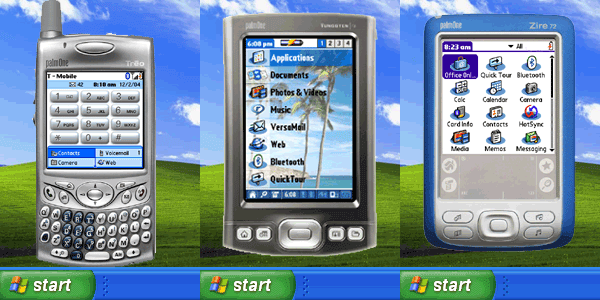
Thursday, August 04, 2005
PDAReach
A cool application for PC (no Mac support :-( ) that is basically a remote desktop app for Palm devices. Great for demoing the use of a Palm device to a large crowd. An alternative is to run the Palm OS Simulator - once again PC only - BUT it does work on a Mac in Virtual PC! Main downfall of Palm Simulator is the need to reinstall Palm apps whenever it is run - easiest way is to hotsync to a user backup or Profile to get back your apps and settings. Be careful though - the simulator is prone to crashing and sometimes a soft reset will hang it!
Sunday, July 31, 2005

Palm Lifedrive Trial
Well I've started the Palm Lifedrive trial process with the School of Sport at unitec - the staff are quite excited about the idea, so I'll be demoing the potential of the technology later this week. It's taken a while, and experimentation to create a stable 'profile' for the Lifedrives - certain apps crash the devices, and although the Lifedrive supports any data format in 'drive mode', attempting to install a non-recognised format media file using hotsync causes a crash. Best to use 'Drive mode' for installing large media files.
Saturday, July 23, 2005
Friday, July 15, 2005
Quiet Week
Well its been a quite week after last weeks intense 3Day workshop. Installed OSX TIGER onto my G5 - no real problems, except for a bug crash with Logic Pro - turned out to be the Apple Pro Application Enhancer not automatically updating from OSX 10.3 to 10.4 version.
Will probably install TIGER on powerbook next week, after I find all issues on G5.
Monday, July 11, 2005
Thursday, July 07, 2005
Workshop Home Run!
Tomorrow we'll look at the capabilities of DVD Studio Pro, and then you'll have time to finish your videos, and create your DVDs using either iDVD or DVDSP. The burning shouldn't take long as we're keeping the video files short, so around 15-20mins for burning (hopefully). Then we'll mark each others projects!
Wednesday, July 06, 2005
Tuesday, July 05, 2005
Monday, July 04, 2005
Sunday, July 03, 2005
having Fun Moodling!
I've been setting up a course using Moodle - & i must say that I quite like moodle! It has some nice collaborative features builtin, and an effective file handling structure for uploading & storing files for a course (which can then be linked into course notes etc...). Moodle on....
Tuesday, June 28, 2005
BlackBoard CMS
The Content Management System add-on for BlackBoard uses WebDav as its format for shared folders. This means that CMS Folders can be used for hosting WebDav friendly files - e.g. iCal!
Then all you need is the url to the WebDav content, to be able to share it over the Internet.
My wiork iCal url is: webcal://kowhai.unitecnology.ac.nz/bbcswebdav/users/tcochrane/iCal/TC_LTcalendar.ics
(note - you need a BB CMS login and password to access it!)
Thursday, June 09, 2005


Subscribe to:
Posts (Atom)


 Posts
Posts

